4biz auto-login - SSO
Branchs:
Sso (itsm)
Spnego 1.0 (artifactory)
Create user AD
- Access Create a user in Users and Computers of the Active Directory, as in the image below:
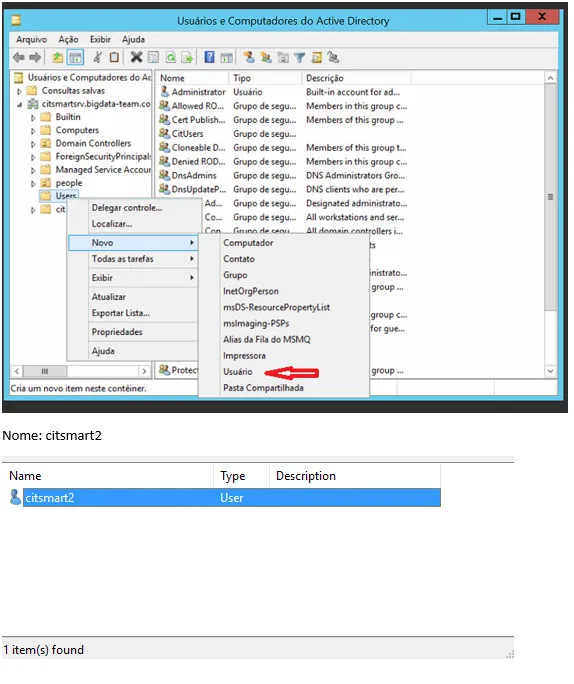
2. Create a password:
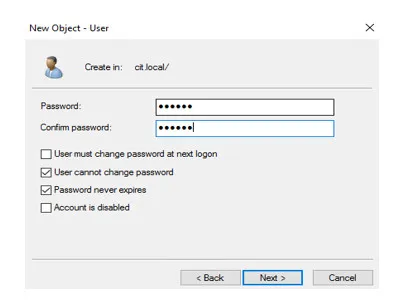
3. Click on the right side of the mouse, in the button user/properties:
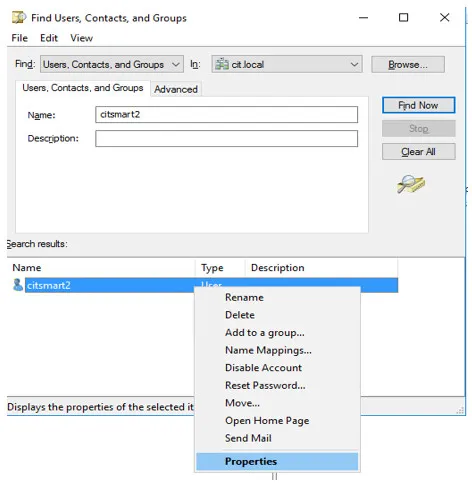
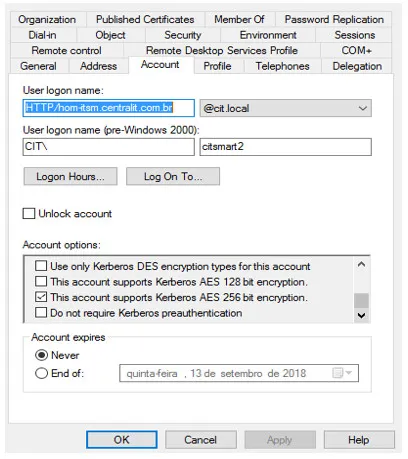
4. Select the option "This account supports 256-bit encryption", apply it and check "OK", as shown below:
5. Open the "ADSI Edit". Then, connect in the AD, click on users and locate the user newly created, as below:
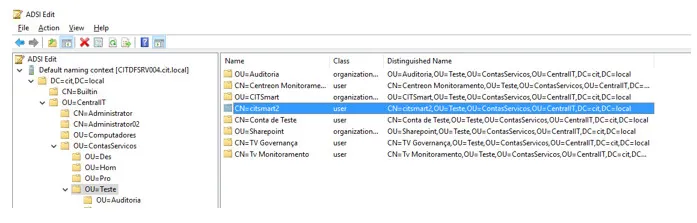
6. Click the right mouse button and select the option Properties. Then, search for the servicePrincipalName (SPN);
7. Add HTTP/hom-itsm.4biz.com.br, click on "OK", as in the image below:
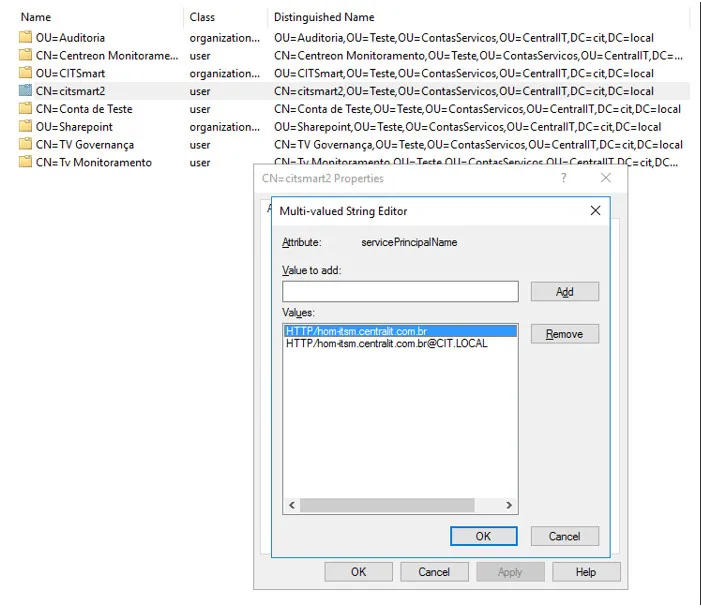
8. Open the CMD as Administrator and put the following commands. Remember that the first sets the SPN and the second creates the Keytab (which will be used in the Wildfly):
- setspn -s HTTP/hom-itsm.4biz.com.br 4biz2
- ktpass / princ HTTP/hom-itsm.4biz.com.br /mapuser 4biz2 /pass central@123 /ptype KRB5_NT_Principal/out4biz2.keytab /crypto ALL
9. Making the steps above, the AD will be configured.
Configure the Wildfly server
- Copy the war generated from the sso branch;
- Copy the file login.conf (validate the information according to the AD) to the folder standalone / configuration (wildfly):
- Copy the lightkeytab.keytab file (generated by the command in AD) to the standalone / configuration (wildfly) folder;
- Copy the lightkeytab.keytab file (generated by the command in AD) to the standalone/configuration (wildfly) folder;
- Fix the standalone.xlm when adding the following information:
- In \<system-properties>
- In \<security-domains>
- If you haven't changed JAVA'S jar policy (JCE - Java Cryptography Extension), download the files and put in jdk/jre/lib/security/policy/limited and jdk/jre/lib/security/policy/unlimited;
- Import (synchronize) users of LDAP in ITSM.
⚠ Attention!
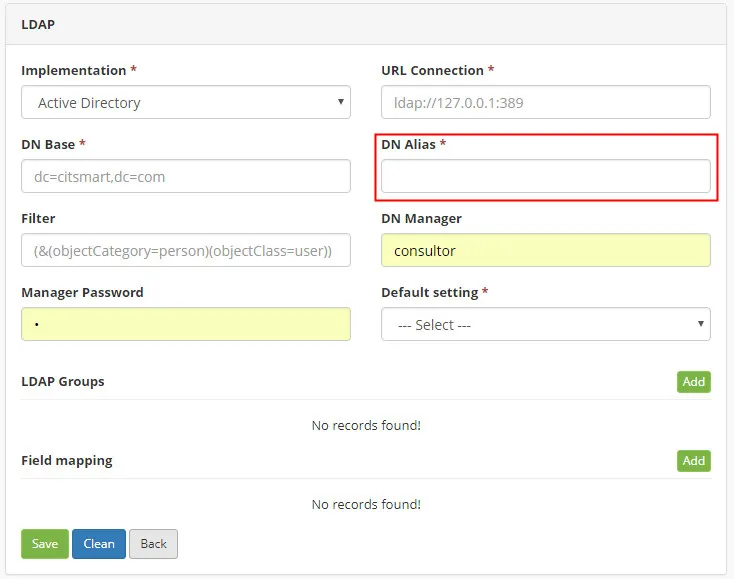
The DN Alias should be the same as the network domain (example: CIT\user), than the DN Alias = CIT, as below:
⚠ Attention!
It is recommended that you read the following supporting materials: