Archived items
The Archived Screen displays a list with all archived Workspaces, Projects, and Tasks.
Before You Begin
Procedure
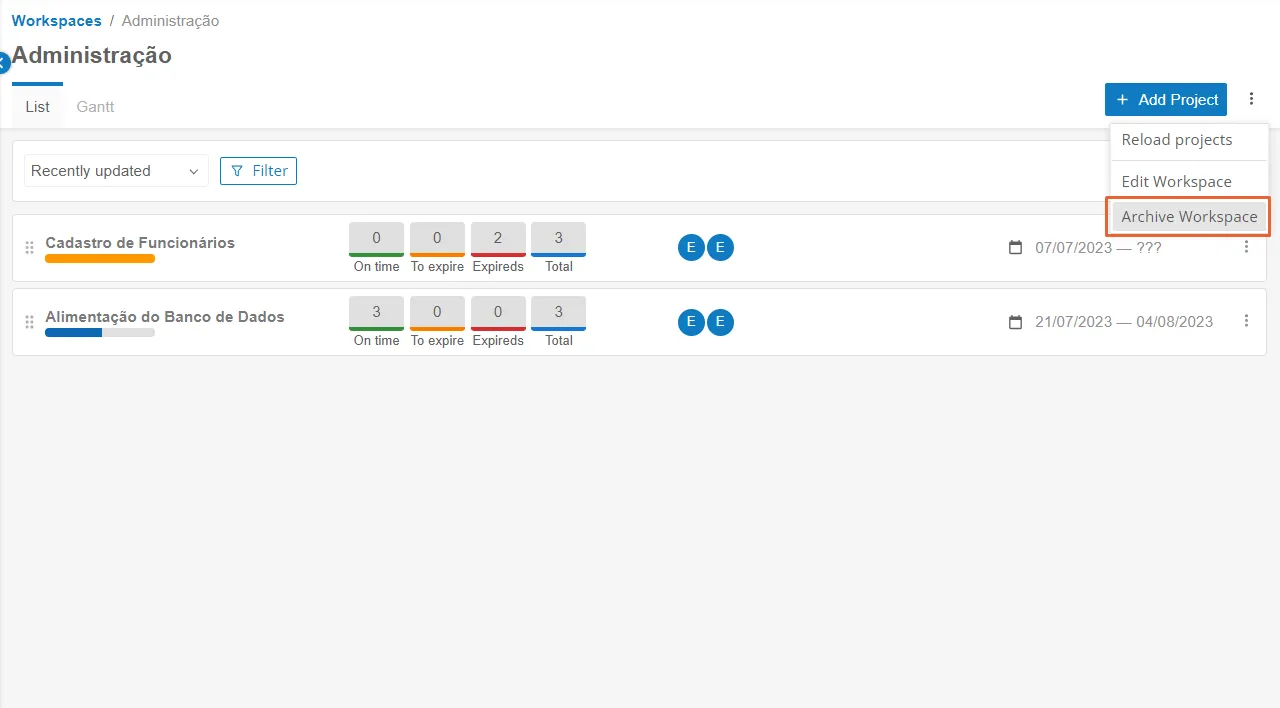
Archive a Workspace
- Access Menu Home > Workspaces and select the Workspace you want to archive.
- Click on the three-dot button located next to the "Add Workspace" button and select the "Archive Workspace" option.
Archive a Project
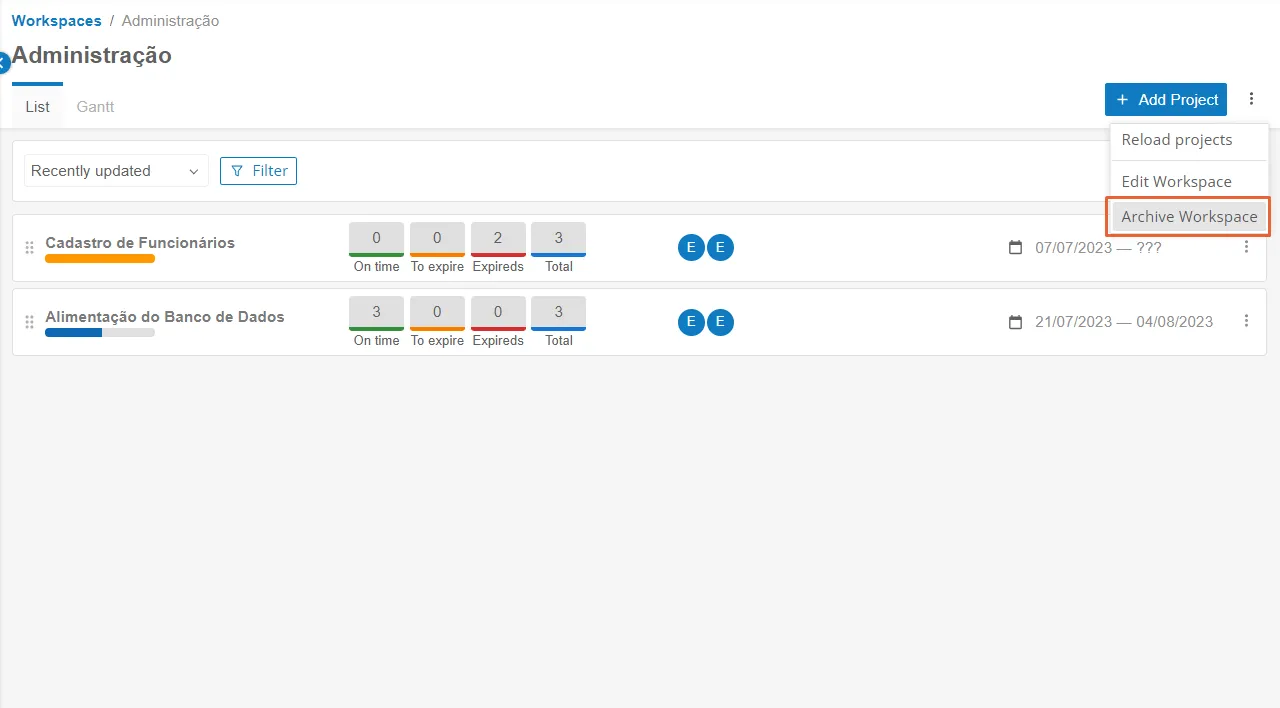
- Access Menu Home > Workspace > Project and select the Project you want to archive.
- Click on the three-dot button located next to the "Add Project" button and select the "Archive Project" option.
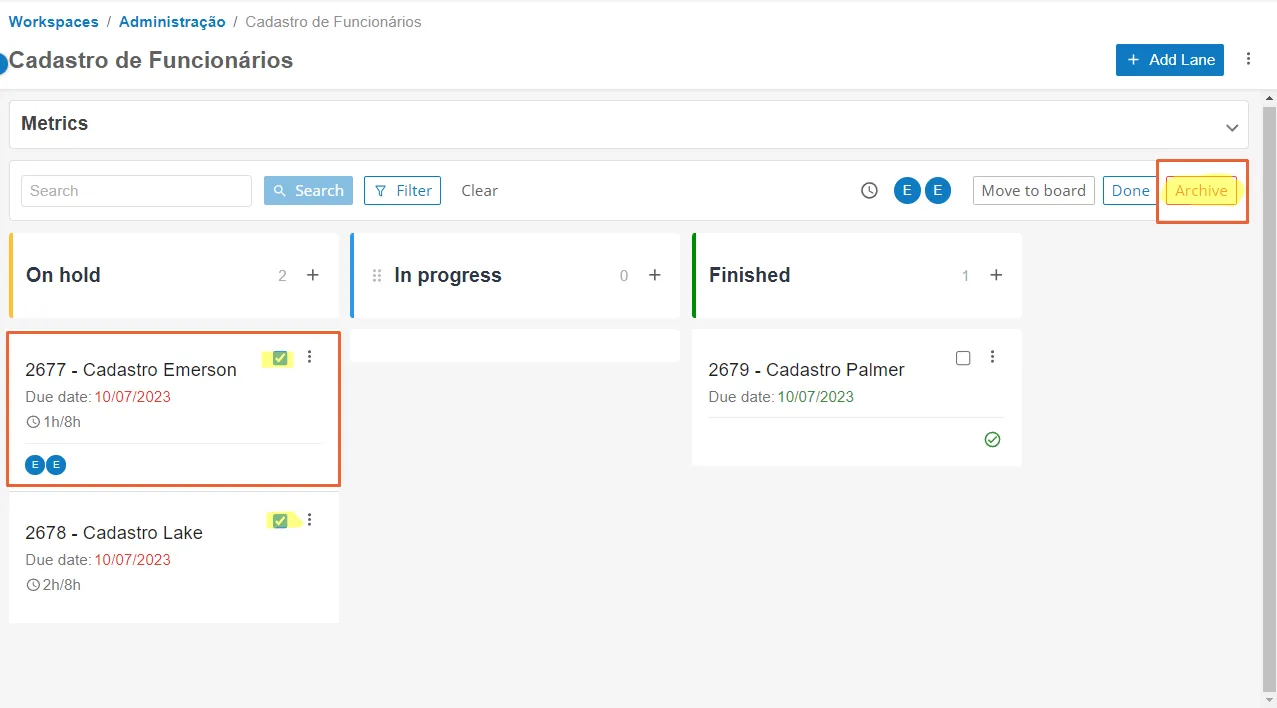
Archive a Task
- Access Menu Home > Workspace > Project > Task and select the blue check of each task you want to archive.
- Click the "Archive Task" button on the upper right side to archive one or more tasks simultaneously.
Archived Screen
To access the Archived Screen, go to Agility > Menu Archived on the left sidebar:

The main Archived Screen has 3 tabs, a search field, and the list of archived items:
Search: The Search field allows you to search by name. The search will be done on all Workspaces, Projects, and Tasks.
Tabs: The Archived Screen is divided into 3 tabs: Tasks, Projects, and Workspaces. Each tab shows a list with its respective type and information about the items.
Tasks: The table presented in the Tasks tab displays columns with the following information:

Item | Description |
|---|---|
Name | Name of the archived tasks. |
Tags | Tags of the archived tasks. |
Members | Members of the archived tasks. |
Checklist | Completed checklists of the archived tasks. |
Date | Completion date of the archived tasks. |
Actions | When the icon is selected, you can:* Duplicate – Copy it to another workspace. The name, description, and checklist will be copied. |
- Unarchive - Returns the task to its original project.
- View More - Shows the task details. |
Projects: The table presented in the Projects tab displays columns with the following information:

Item | Description |
|---|---|
Name | Name of the archived projects. |
Members | Members of the archived projects. |
Actions | When the icon is selected, the View Tasks button will be displayed. Selecting the button shows a pop-up window with the list of tasks of the selected project. |

- Task name.
- Completed checklists of the task.
- Task completion date.
- Number of attachments of the task.
- Unarchive and return the task to its original project.
Workspaces: The table presented in the Workspaces tab displays columns with the following information:

- Name of the archived workspaces.
- Members of the archived workspaces.
- Actions: Unarchive and return the task to its original project.