IT Asset Management
IT asset items and service components are not the same things. A specific item can be either an IT asset or a component, or it could be both. Therefore, the product must include, at a minimum:
· Allowing for the management of IT assets separately from the management of service components within an IT asset or service component repository, respectively, and allowing the records to be linked and to share common data through this link
· Alternatively, allowing for the management of both types of records within a common repository, managing them separately through specific IT asset attributes and service component attributes within a single record.
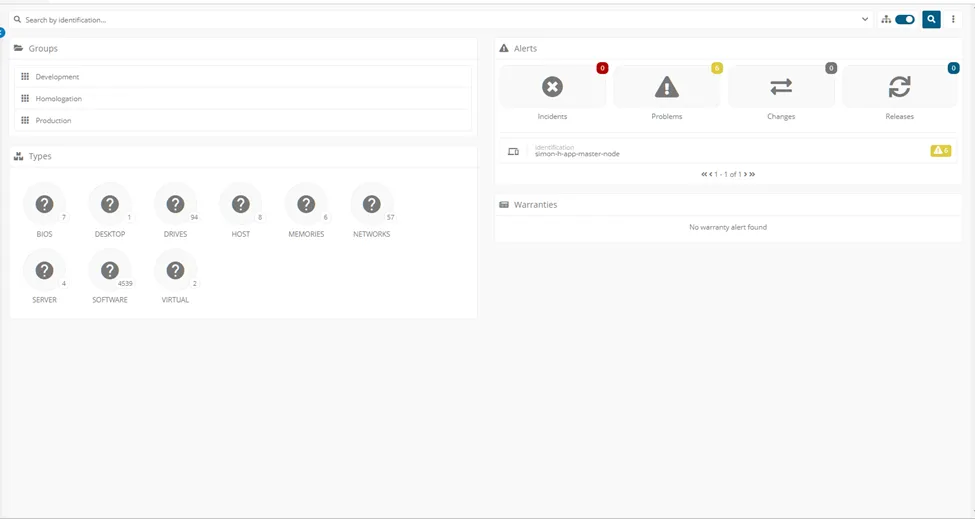
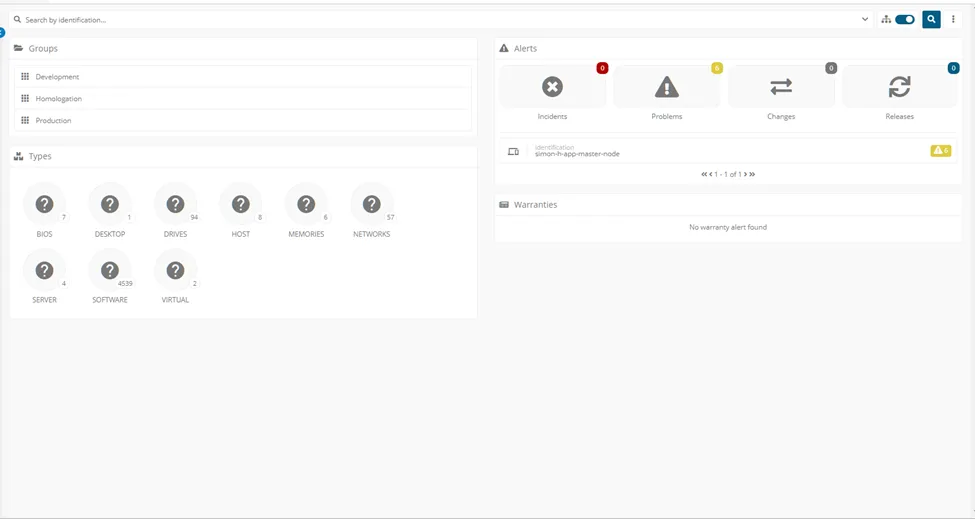
The platform can work with IT Asset, Components and Configuration Management integrated in same screen federating “N” external and internal sources, like monitoring, inventory, asset, sam, ham platforms. The Asset Types can be defined by customer for each one.
______________________________________________________________________________________________
Multiple IT asset repositories, if needed, can be federated into a single view.
The platform can work with IT Asset, Components and Configuration Management integrated in same screen federating “N” external and internal sources, like monitoring, inventory, asset, sam, ham platforms
______________________________________________________________________________________________
IT asset records and attributes can be created and updated through multiple methods. This must include, at a minimum:
· Manual entry
· Through discovery and monitoring that includes Software ID (SWID) tags
· Through barcode scanning technology that includes Hardware (HW) asset tags
· Via related records such as requests or purchase orders
· Through ETL (extract, transfer, and load) with external databases and sources
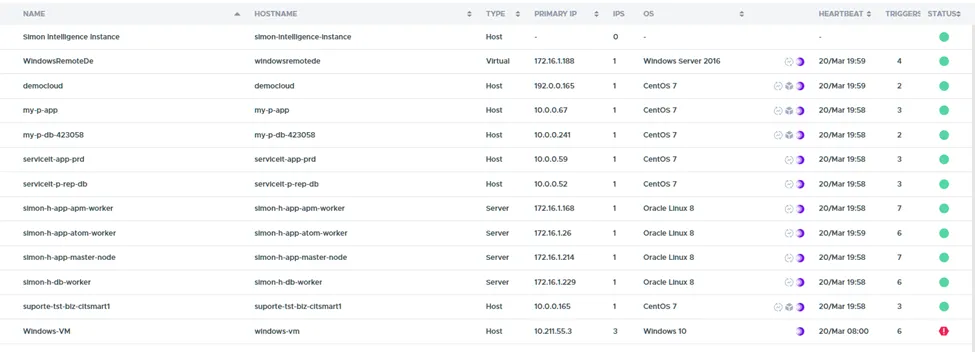
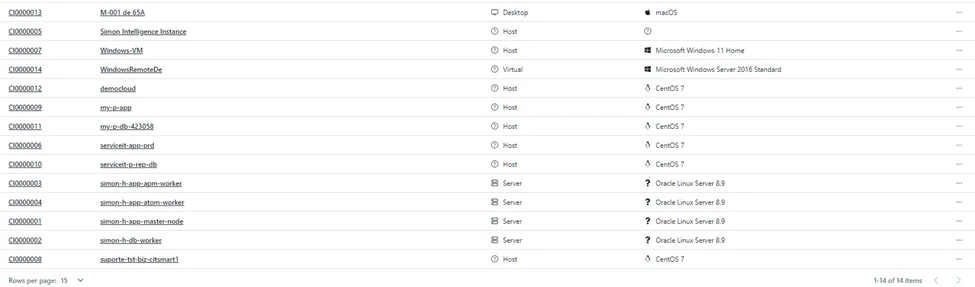
All methods like manual entry, discovery tools, related records, integration with external databases can be federated in same screen and linked with Asset Portfolio and Service Catalog linked with all process.
______________________________________________________________________________________________
Different scanning technologies can be used to assist with the initial loading of IT assets into the repository, managing updates, and supporting inventory validation; this must include at least one of the following common methods:
· UPC barcodes
· SKU codes
· QR codes
· RFID tags
This can be accomplished natively within the toolset/suite of tools, or through standard integrations.
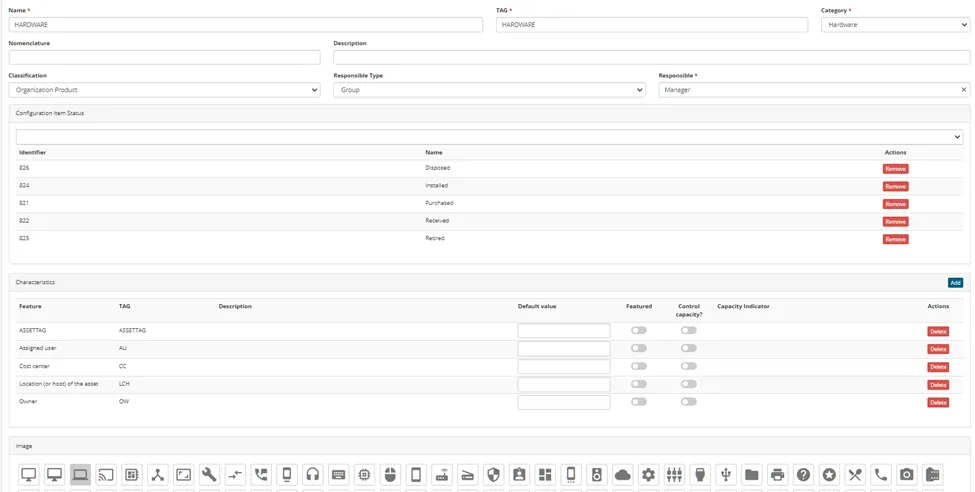
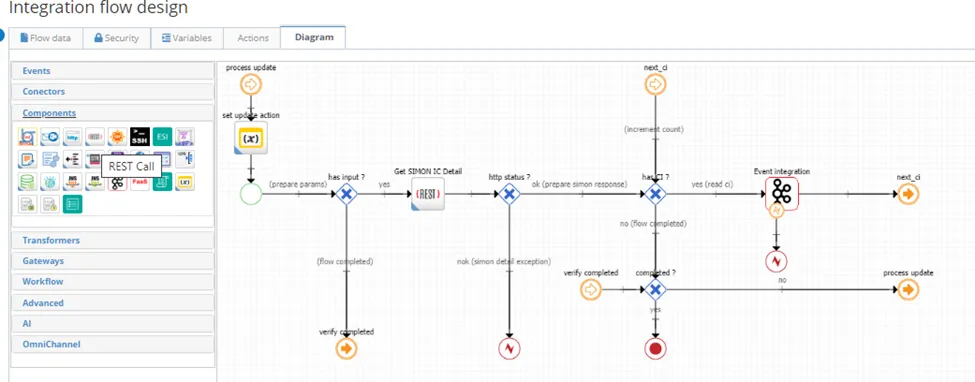
All information that come from external scanning devices can be added on asset customized fields using external integration via API inserting, updating asset information based on asset tag/identification.
______________________________________________________________________________________________
IT assets can be classified. Common IT asset classification include, at a minimum:
· Hardware assets
· Software assets and software licenses
· Mobile assets
Clients must be able to define additional IT asset classifications necessary for their organization.
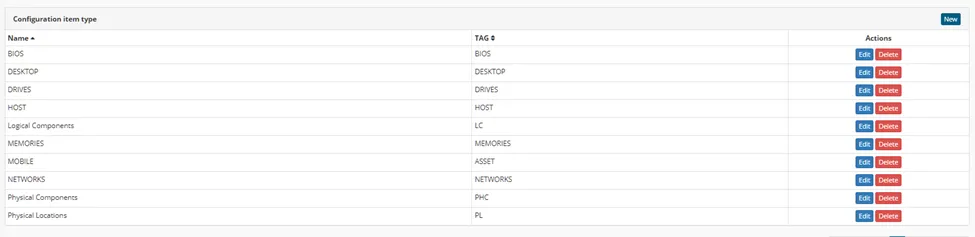
All assets can be classified and models can be created with customized fields for each asset type, including status (life-cycle), pre-defined names and models.

_____________________________________________________________________________________________
Within each classification of IT assets (refer to ITAM5), various types of IT assets can be defined. Examples of asset types include, but are not limited to:
· Hardware: servers; network equipment; desktop computers; printers
· Mobile: laptops; smartphones; tablets
· Software: various types of software and associated licenses (cloud, hosted, network, site, free, etc.,)
Clients must be able to define their own client-specific IT asset types and attributes within each classification.
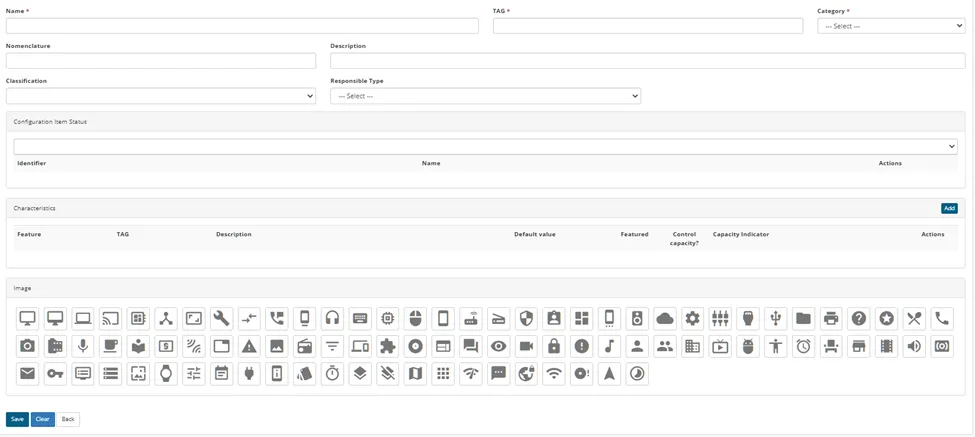
All assets can be classified and models can be created with customized fields for each asset type, including status (life-cycle), pre-defined names and models.
______________________________________________________________________________________________
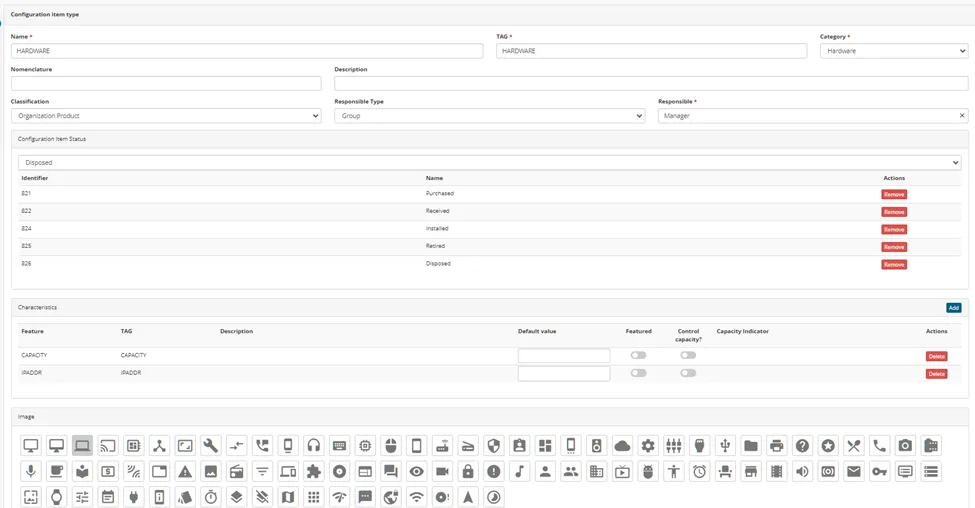
Life cycle statuses can be defined for all IT asset types. Examples of common life cycle status can include, but are not limited to:
· Purchased
· Received
· In inventory (this status can occur multiple times through the life cycle of a single asset)
· Installed
· Retired
· Disposed
Life cycle status can be manually updated or systematically updated depending on how updates to IT assets are performed.
Clients must be able to define their own unique life cycle statuses to suit the organizational needs.
The Asset Management delivery OOTB all pre-defined status and allow the customer create new one suit the organizational needs.


______________________________________________________________________________________________
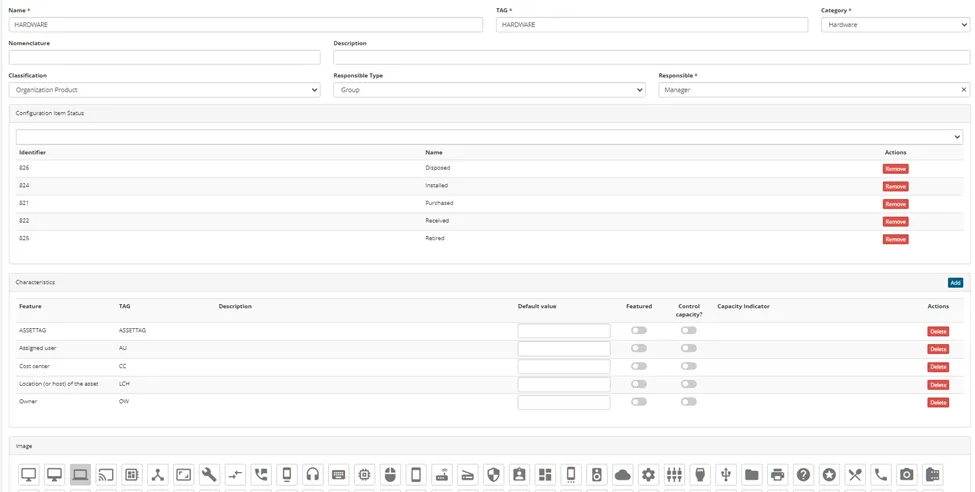
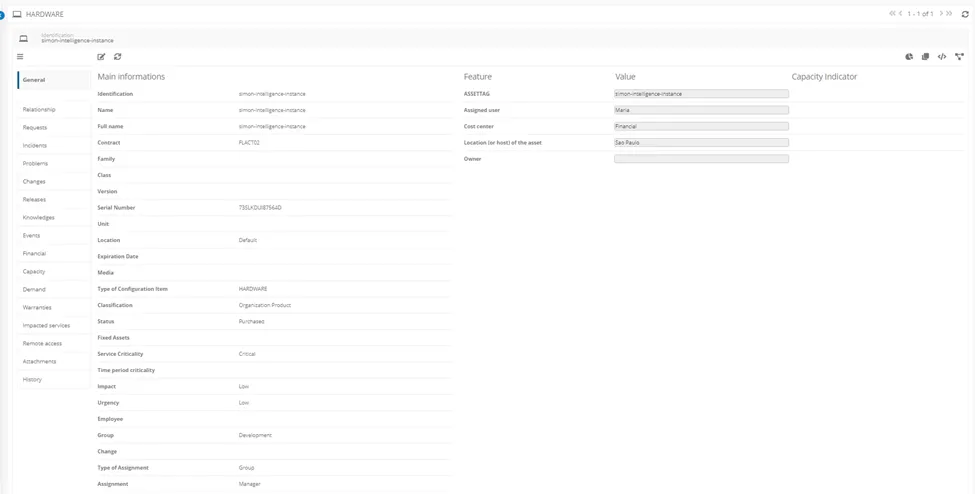
Each IT asset type provides attributes that can be manually or systematically updated. Common asset attributes must include, at a minimum:
· Location (or host) of the asset
· Owner
· Assigned user
· Cost center
· Financial elements such as cost, depreciation, maintenance, etc.
· Manufacturing information such as the name of the manufacturer, make, and model
· Serial number
· Unique client-defined identifier (asset tag, with HW or SWID)
Clients must be able to define their own additional attributes that are necessary for their organization.
Asset form contain all necessary fields for Asset Managements and customers are able to define their own additional attributes that are necessary for their organization
______________________________________________________________________________________________
An IT asset portfolio can be defined and established and consists of authorized IT asset types that are within the scope of IT asset management control; this can be used to help identify the presence of nonauthorized or unsupported IT assets.
The portfolio consists of all supported IT assets, including but not limited to those that are ‘standard’ (refer to ITAM12).
Clients must be able to define their own portfolio of IT assets.
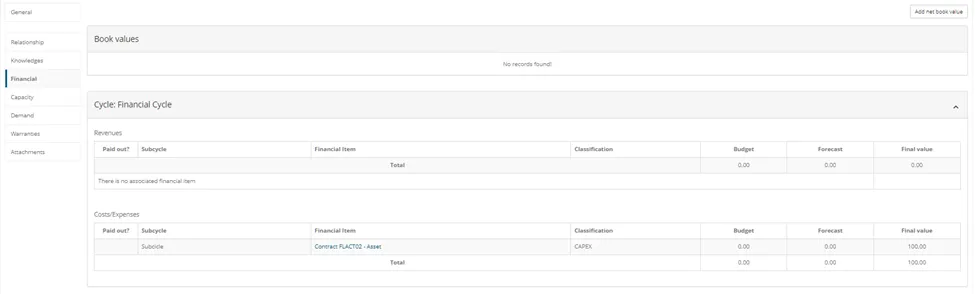
Asset portfolio in platform are linked with contracts (Customer/Provider) internal/external and provide all fields for control access and keep strategic information updated like financial, owners, authorized groups and persons
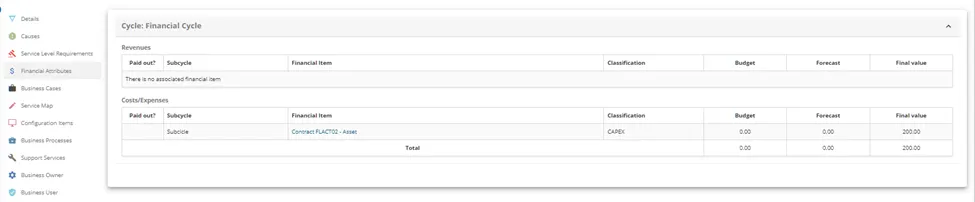

Financial Attributes
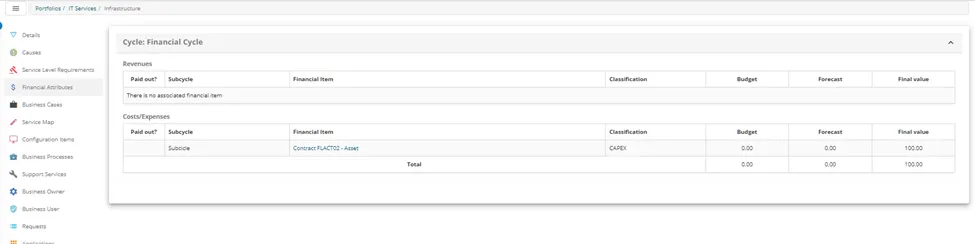
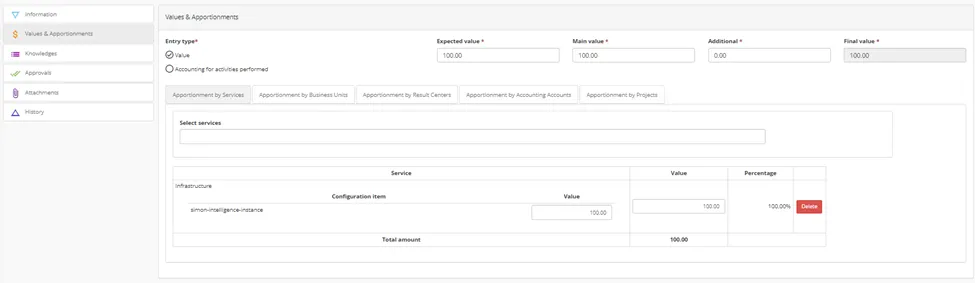
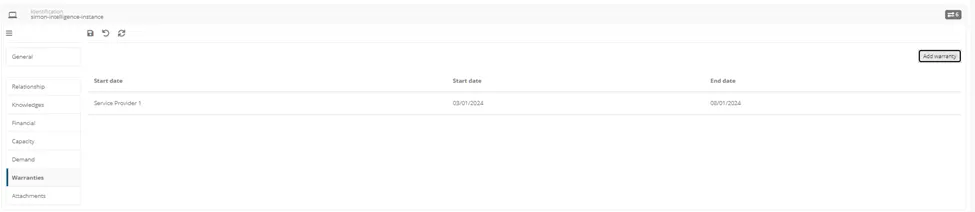
Asset – Financial Attributes relationship
__________________________________________________________________________________________
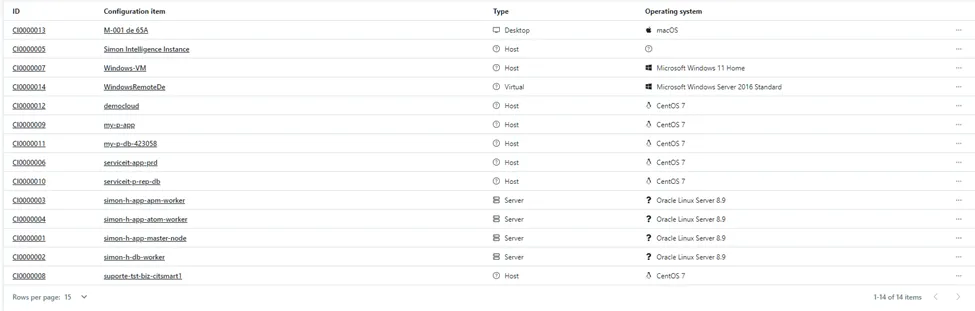
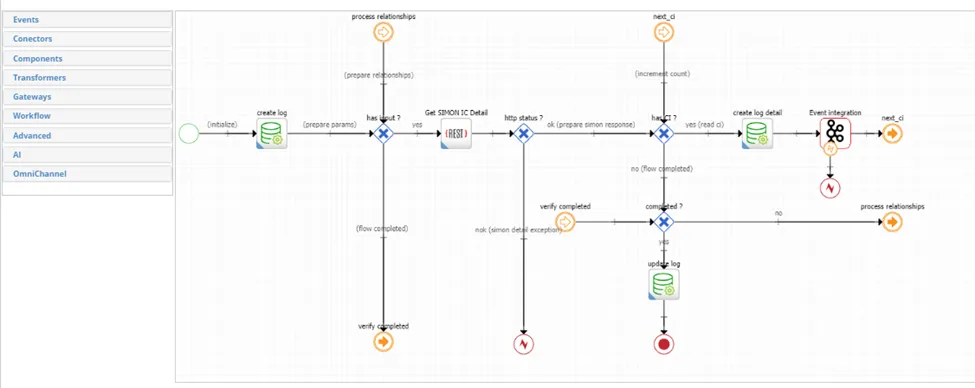
An inventory of IT assets can be maintained through automated means, as well as through manual updates. This should also trigger an automatic reorder of IT assets at predefined inventory thresholds
Through automatic updates via inventory and discovery tools and allow manual updates all recorded in baseline.
______________________________________________________________________________________________
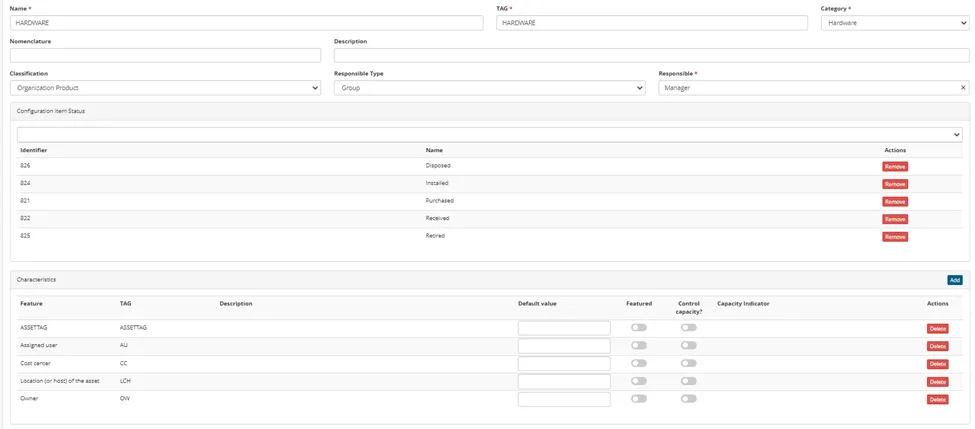
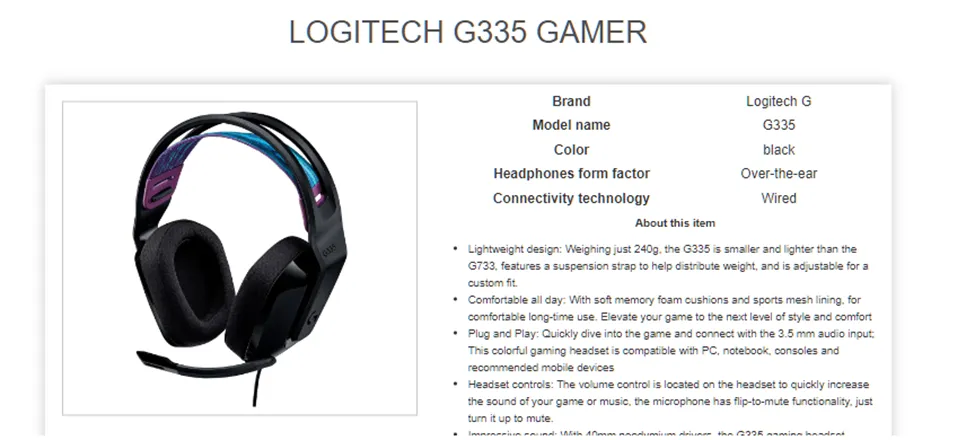
Certain IT asset types or certain models within an IT asset type can be designated as ‘preapproved standards’ that can be offered in the product catalog/service catalog.
The platform allow clients design pre-defined models, life cycle and fields for new offers linked with service catalog
______________________________________________________________________________________________
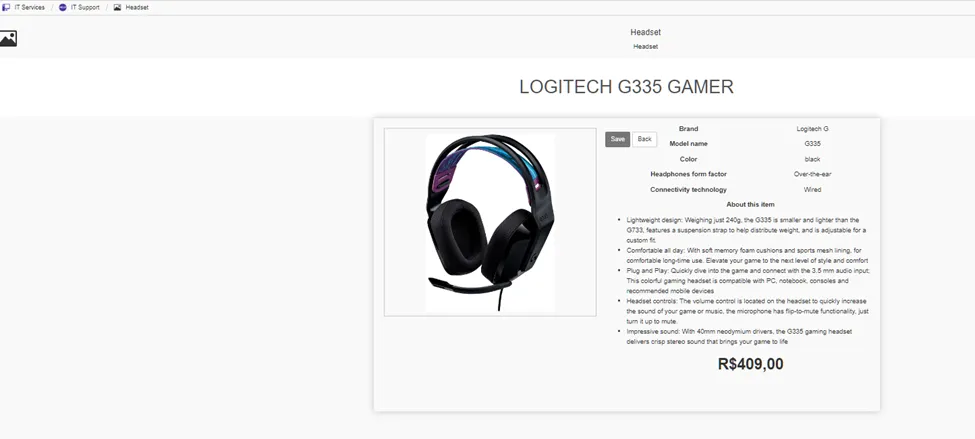
IT assets that are directly consumed by users can link to product catalogs available to the users to request via the service catalog.
IT asset records are linked to these requests and can systematically update status, inventory levels, and other attributes.
Yes, it does via Service Portal that customer can request products from company
______________________________________________________________________________________________
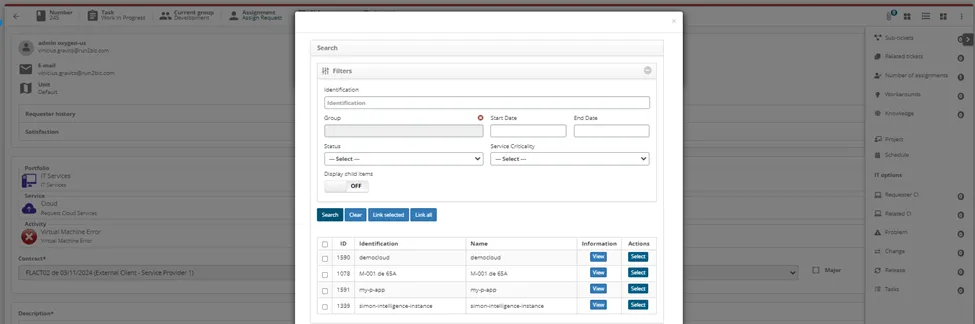
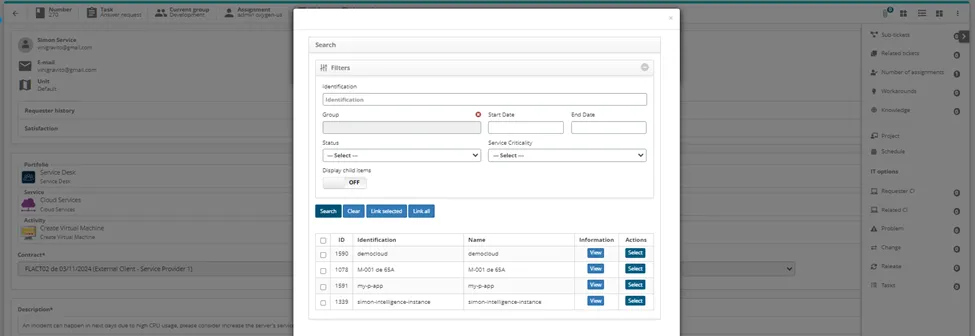
IT asset records can be linked to the following records, as needed, and the status and attributes of IT assets can be updated through these records to track the history of IT asset installs, moves, adds, and changes (IMAC); this must include, at a minimum:
· Incidents
· Requests/tasks
· Changes
· Releases
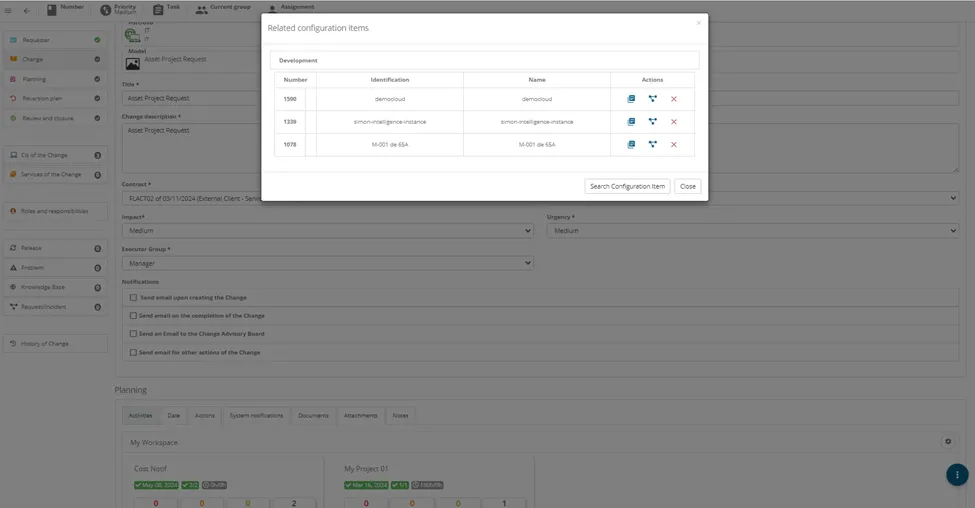
The platform link asset records with all process.
Incident
Request
Change
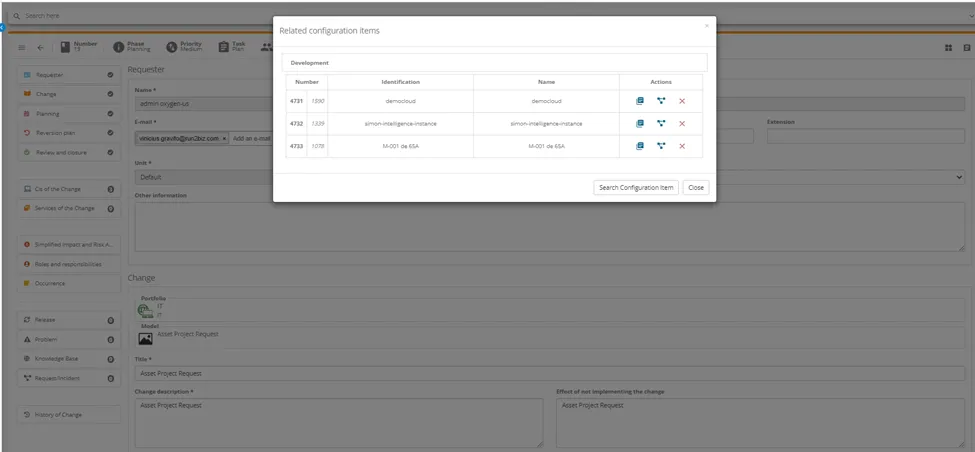
Release
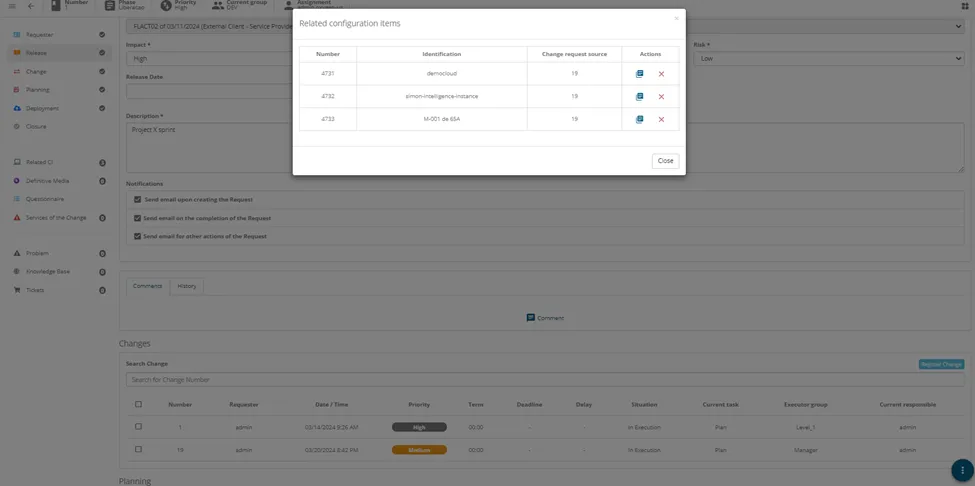
Project need to be linked with Incident, Request, Change or Release that will control the project tasks
______________________________________________________________________________________________
Through discovery and monitoring, the ability to monitor, validate, and update the current status and location of IT assets
Clients must also have the ability to manually update the status and location of IT assets.
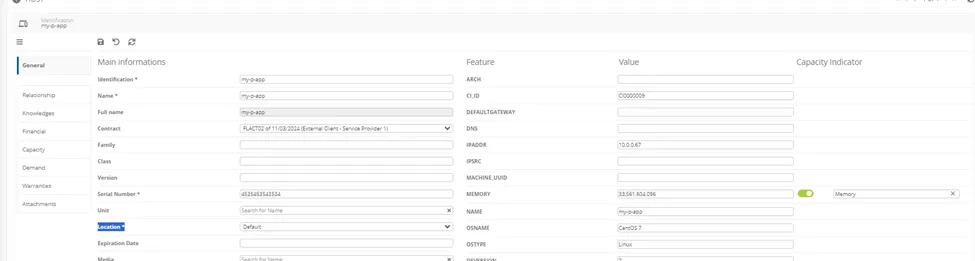
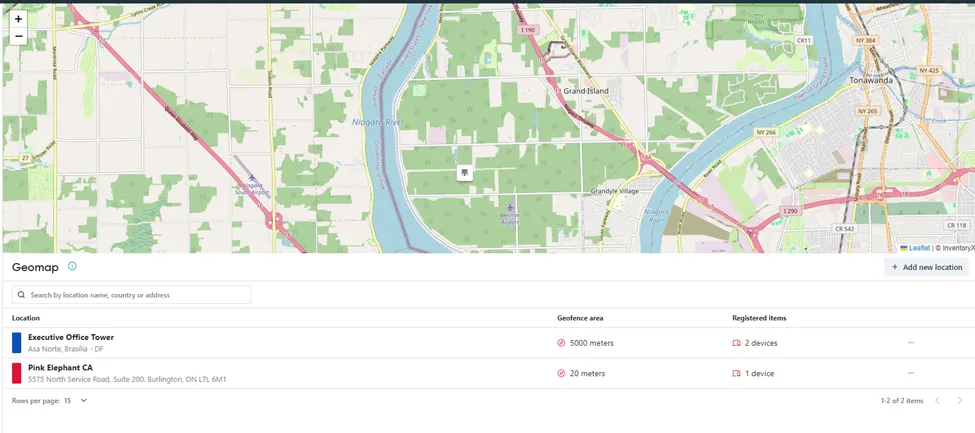
Customer can update the location of IT Assets manually or use discovery georeferenced.
Manually
Using Georeference
______________________________________________________________________________________________
Software asset management (SAM) is supported, either natively in the toolset/suite of tools, or through standard integration, for effective management of software license entitlement and usage, providing related compliance reports.
Common examples of this functionality can include but are not limited to:
· Push software licenses, software installation, and update inventory
· Monitor software and license usage
· Monitor, identify, and manage the noncompliant use of software
· Identify and isolate or de-install unauthorized software
· Identify, de-install, and recover unused or underutilized software and licenses, updating inventory
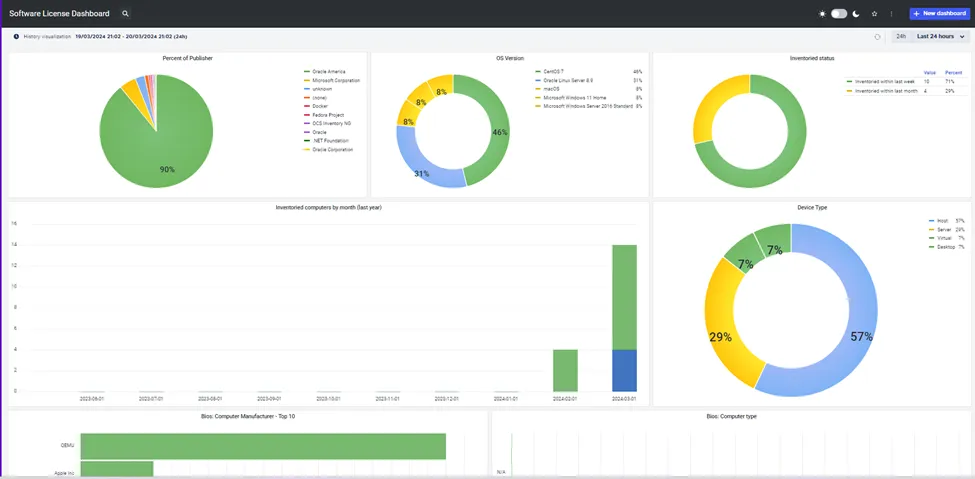
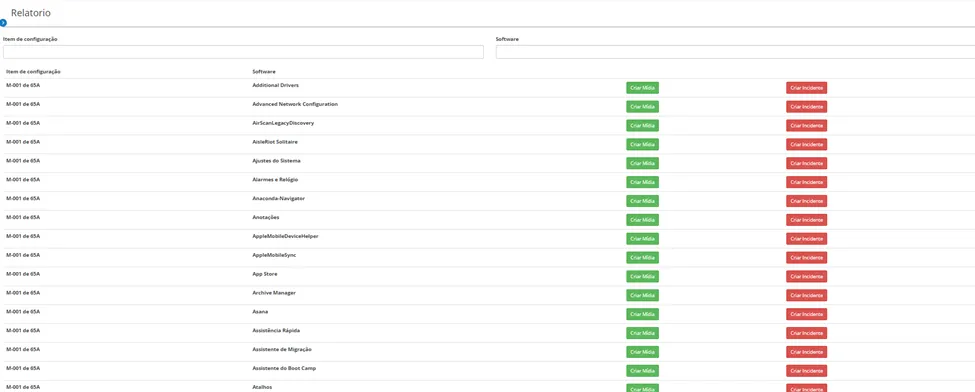
The platform delivery reports about Software license usage (amount), blacl list (Non-Authorized Software) for manager take decisions. Metrics about software usage, license type like Oracle Database/SAP/EBS and other are used external integrations with SAM platforms. (Kace from Quest and SNOW).

____________________________________________________________________________________________
Mobile asset and mobile device management (MAM and MDM) is supported, either natively in the toolset/suite of tools, or through standard integration, providing related compliance reports.
Common examples of this functionality can include, but are not limited to:
· Push mobile software licenses, software installation, and update inventory
· Monitor mobile software, license, and device usage
· Monitor, identify, and manage the noncompliant use of mobile software
· Identify and isolate or de-install unauthorized mobile software
· Identify, de-install, and recover unused or underutilized mobile software and licenses, updating inventory
· Remotely wipe and lock down mobile devices
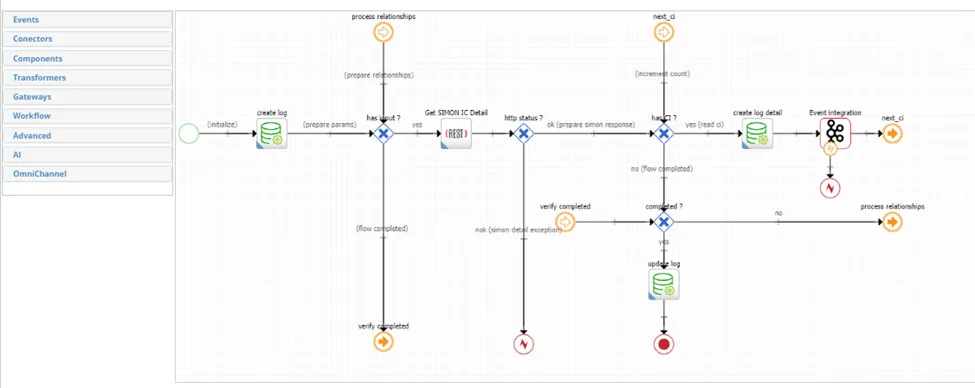
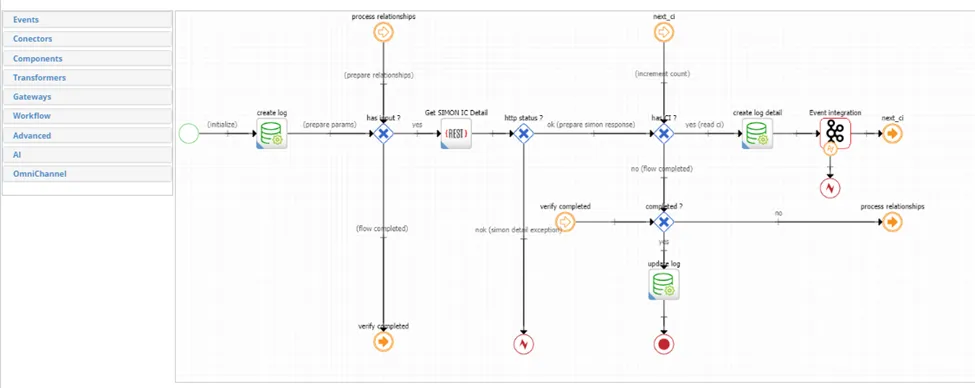
All mobile functions (MDM) the platform use Asset Federations via API external integration with Navita MDM, Apple and Android.
______________________________________________________________________________________________
IT asset discrepancies can be identified and managed, through monitoring, and providing related compliance reports; examples of this can include, but are not limited to:
· Missing assets and assets no longer being used
· Assets not ‘discovered’ for a predefined period of time
· Assets with changed locations/users/cost centers
· Assets with changed attributes
· Unauthorized assets
This can trigger an appropriate, predefined workflow to manage the discrepancies.
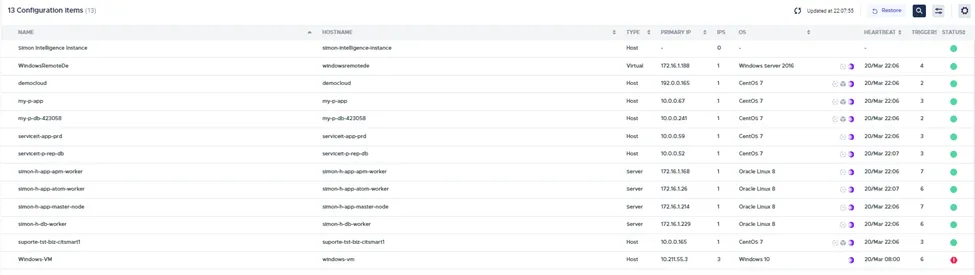
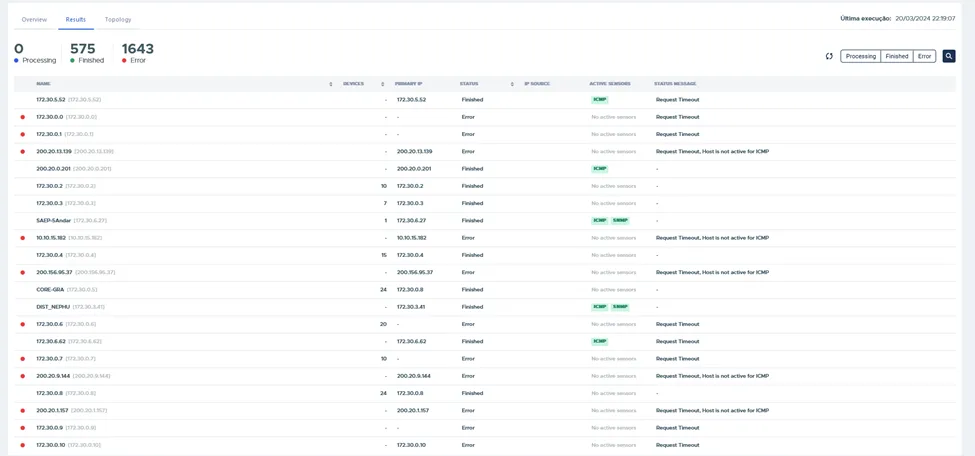
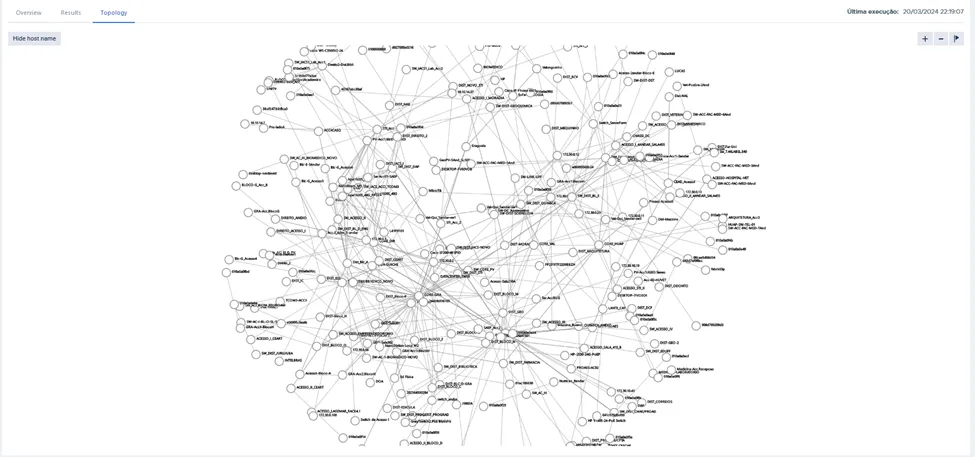
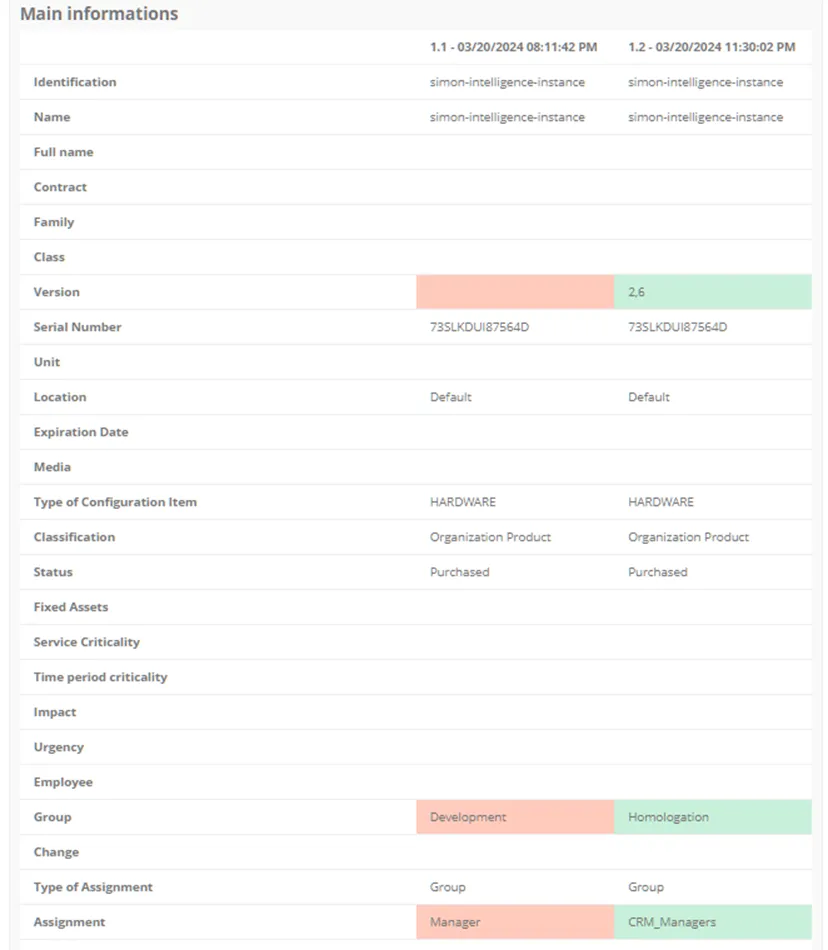
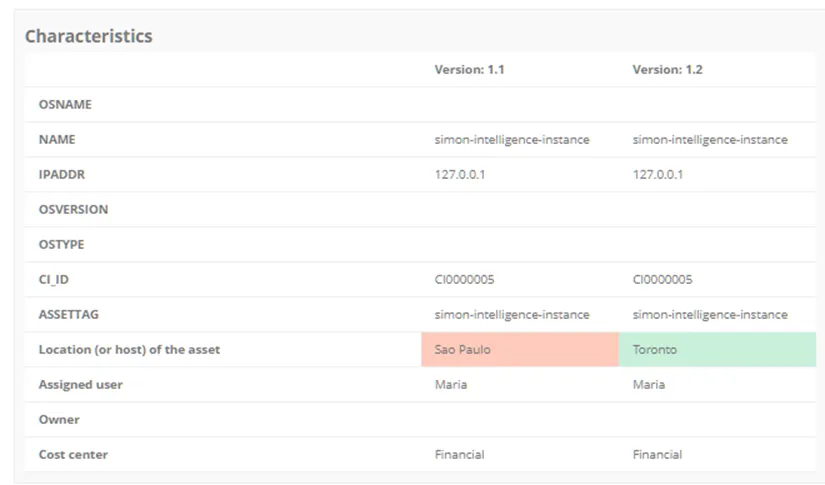
Discovery functionality can find assets not discovered (without agent, unauthorized assets or inventory agent removed) connected in network. After inventory the Asset Baseline will show the discrepancies between baseline versions.
______________________________________________________________________________________________
Captures activities and actions taken prior to the final disposal of assets; examples of this can include (and are determined by the type of IT asset), but are not limited to:
· Software harvesting, the recovery of SW licenses, and the de-installation of executable files
· Data wiping
· Reconditioning
· Hard drive degaussing/destruction or shredding
Clients can create their own predisposal actions and activities.
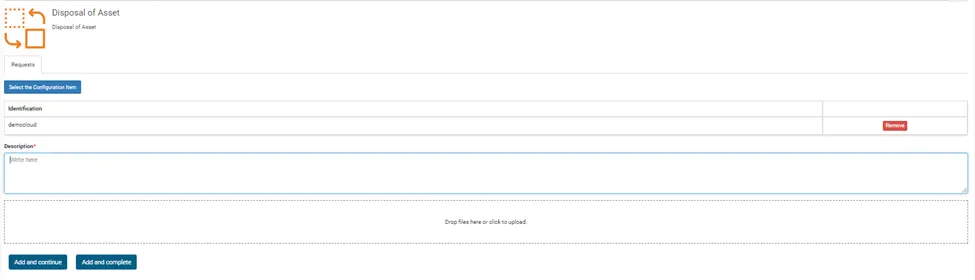
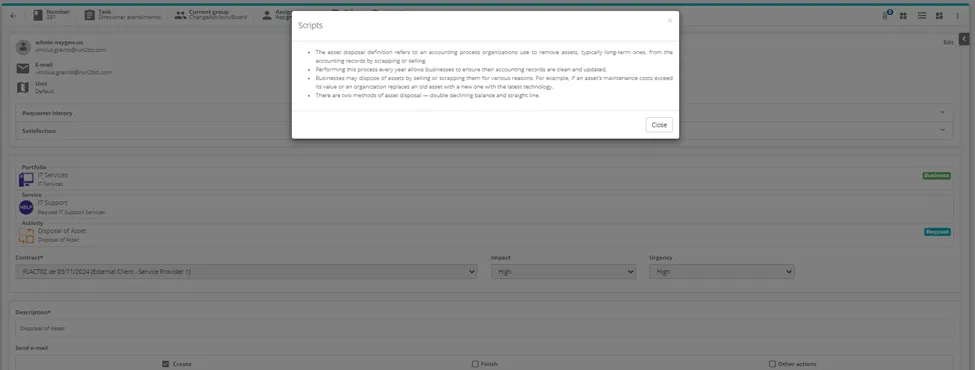
Use disposal script or form checklist linked in request, customer can define disposal actions.
______________________________________________________________________________________________
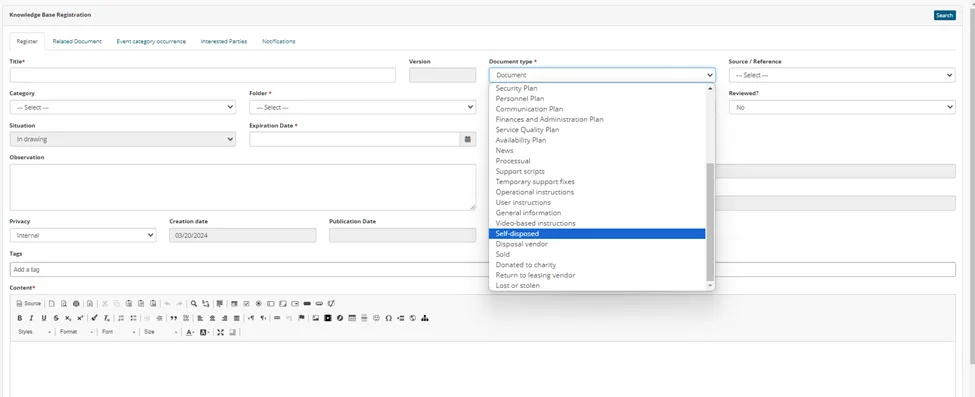
Manages the proper disposal of hardware assets by identifying how the assets were disposed of, linking to, or attaching the appropriate document of destruction or disposal; examples of common disposal methods can include, but are not limited to:
· Self-disposed
· Disposal vendor
· Sold
· Donated to charity
· Return to leasing vendor
· Lost or stolen
Clients can create their own disposal methods.
All disposal documents can be linked on asset screen management as attachment or company procedure available in Knowledge Base.
______________________________________________________________________________________________
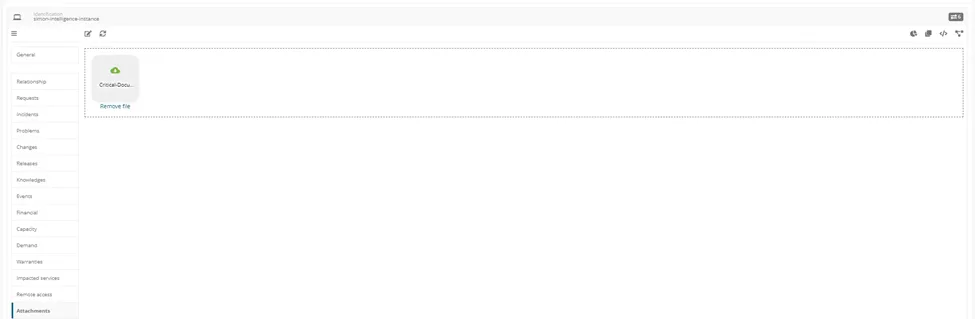
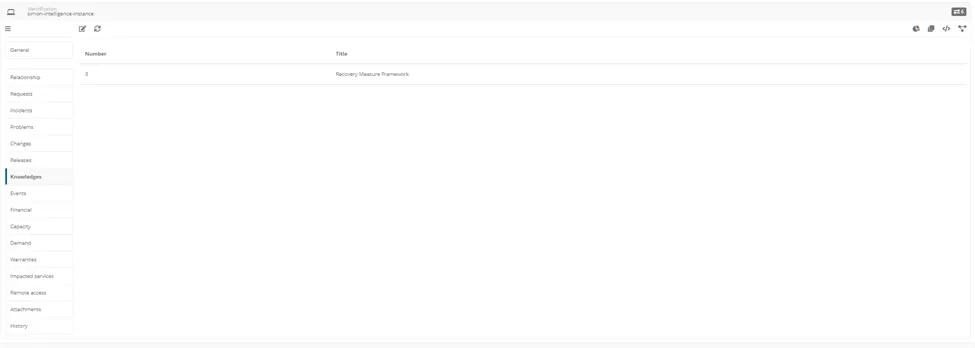
Critical life cycle documents for each IT asset type can be identified and referenced in the IT asset record. Document requirements must be definable by the client to support organizational, legal, contractual, and regulatory compliance requirements, as well as retention requirements.
This supports the validation of the existence of critical documents for each IT asset type or, if required, each individual IT asset record and either links a copy to the IT asset record or provides a link to the document repository.
Customer can add critical doccment attached for each asset and link Knowledge Asset like support organizational, legal, contractual, and regulatory compliance requirements, as well as retention requirements
______________________________________________________________________________________________
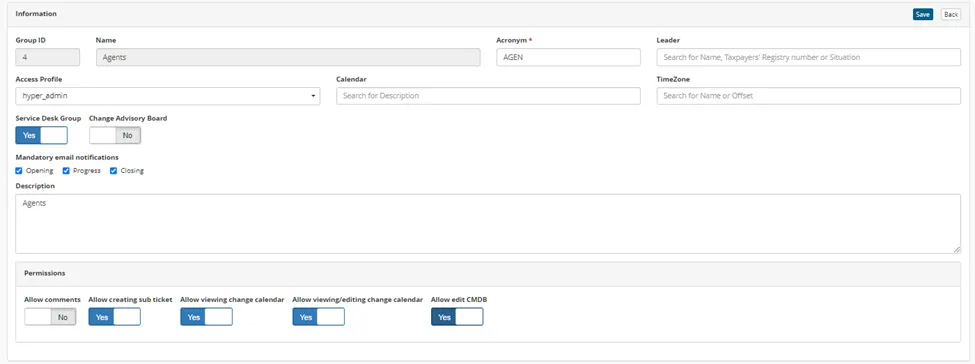
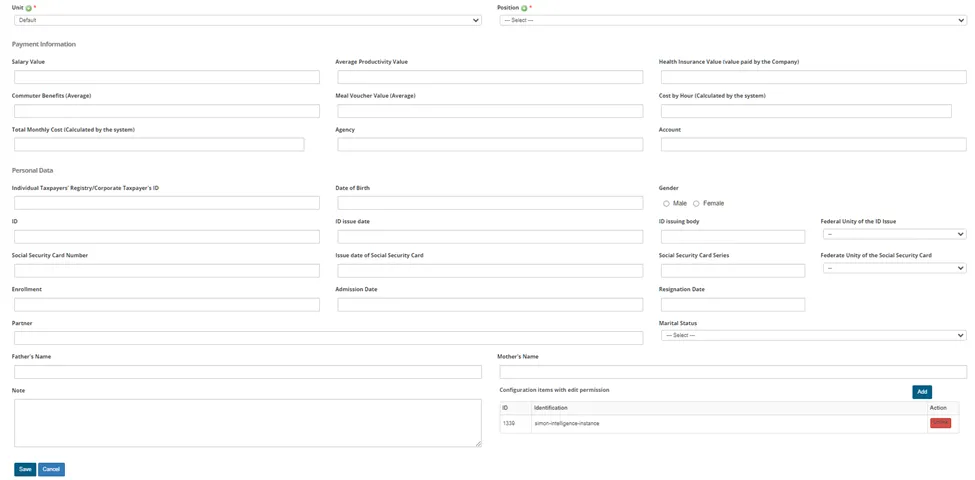
Role-based/user ID-based access to IT asset information at the record/record type level is supported to ensure proper levels of access, view, or update capability.
Managers can link specific assets directly for each user or allow groups view or edit assets.
______________________________________________________________________________________________
This is currently not a requirement but allows the vendor to provide information on their current capabilities in this area.
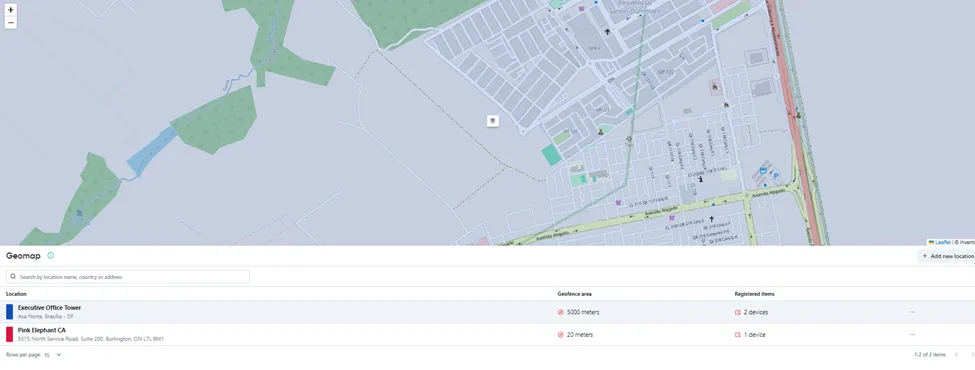
Utilizes geolocation and the tracking of mobile assets, through either GPS or Wi-Fi.
Using wi-fi the platform can use georeference for geofence
______________________________________________________________________________________________
This is currently not a requirement but allows the vendor to provide information on their current capabilities in this area.
Utilizes geofencing features to systematically wipe and lock down devices outside of the approved areas or initiate the wiping and locking down of the devices via external systems.
Use runbooks and triggers for lock or wipe devices


