Calendar
Step by Step
In the side menu, select Administration > Calendar, and click Create. This form will display the fields for registering work schedules and exceptions to the calendar being created.
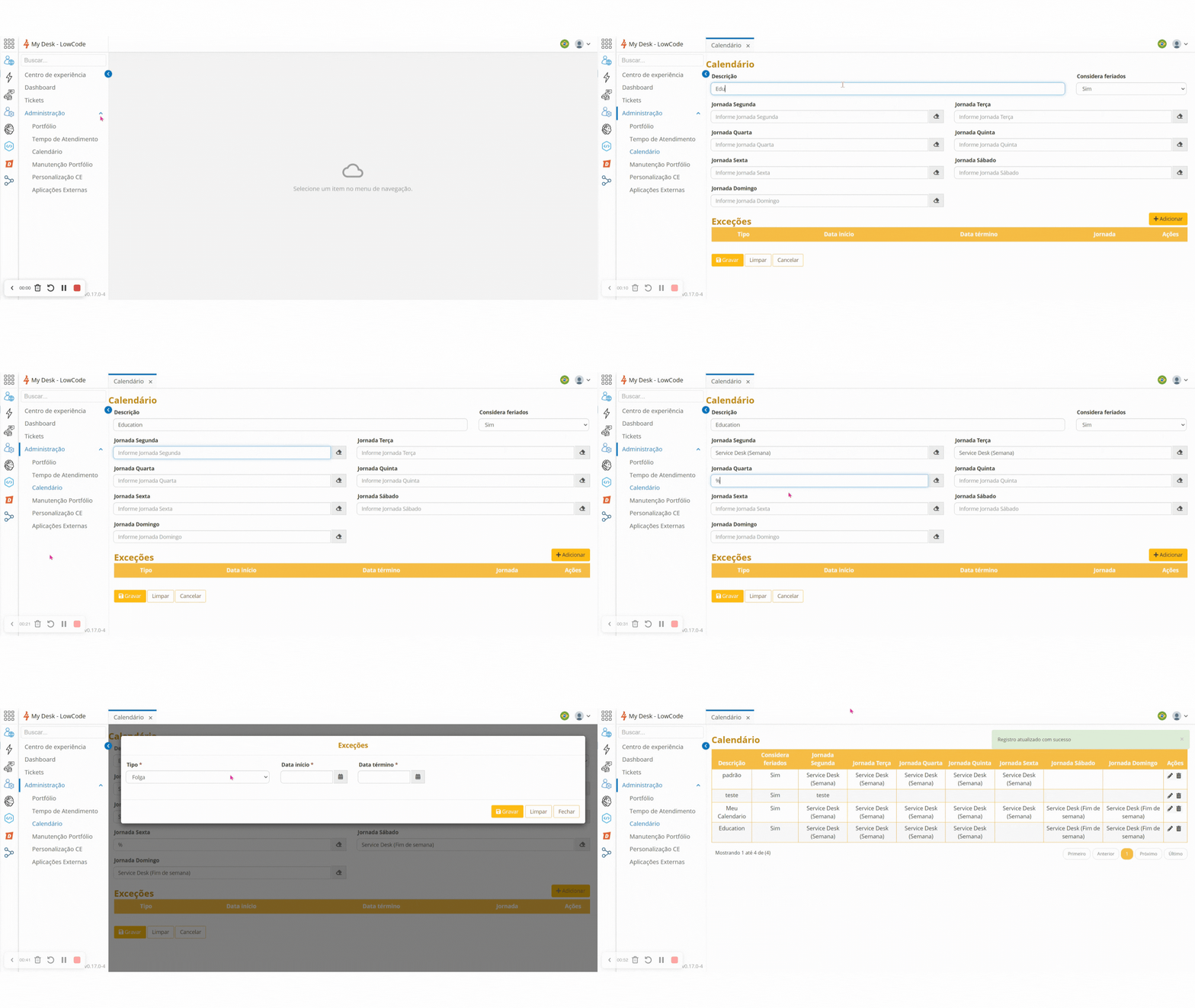
The Work Schedule field is repeated for each day of the week. Enter the first letter of the previously registered schedule or % for all schedules.
Save all the information.
Exceptions
In the Exceptions field on the same screen, click Add and fill in the required fields.
Selecting the Work option will display another field called Schedule. The functioning of this field is identical to the Work Schedule described above.
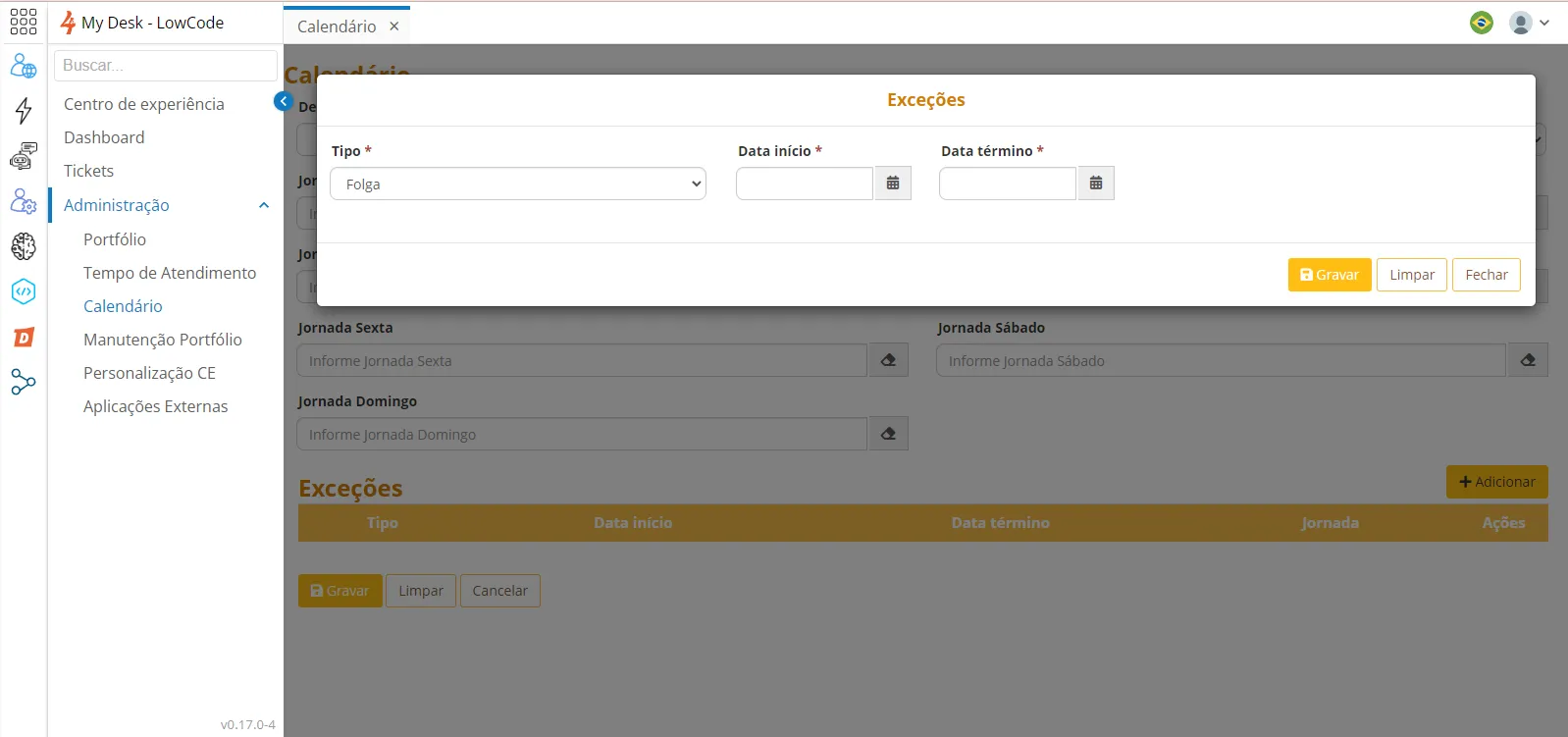
Save all information.