Service Level Agreement (SLA)
Before You Begin
To register a VIP user, they must have already been inserted into the system beforehand.
Form
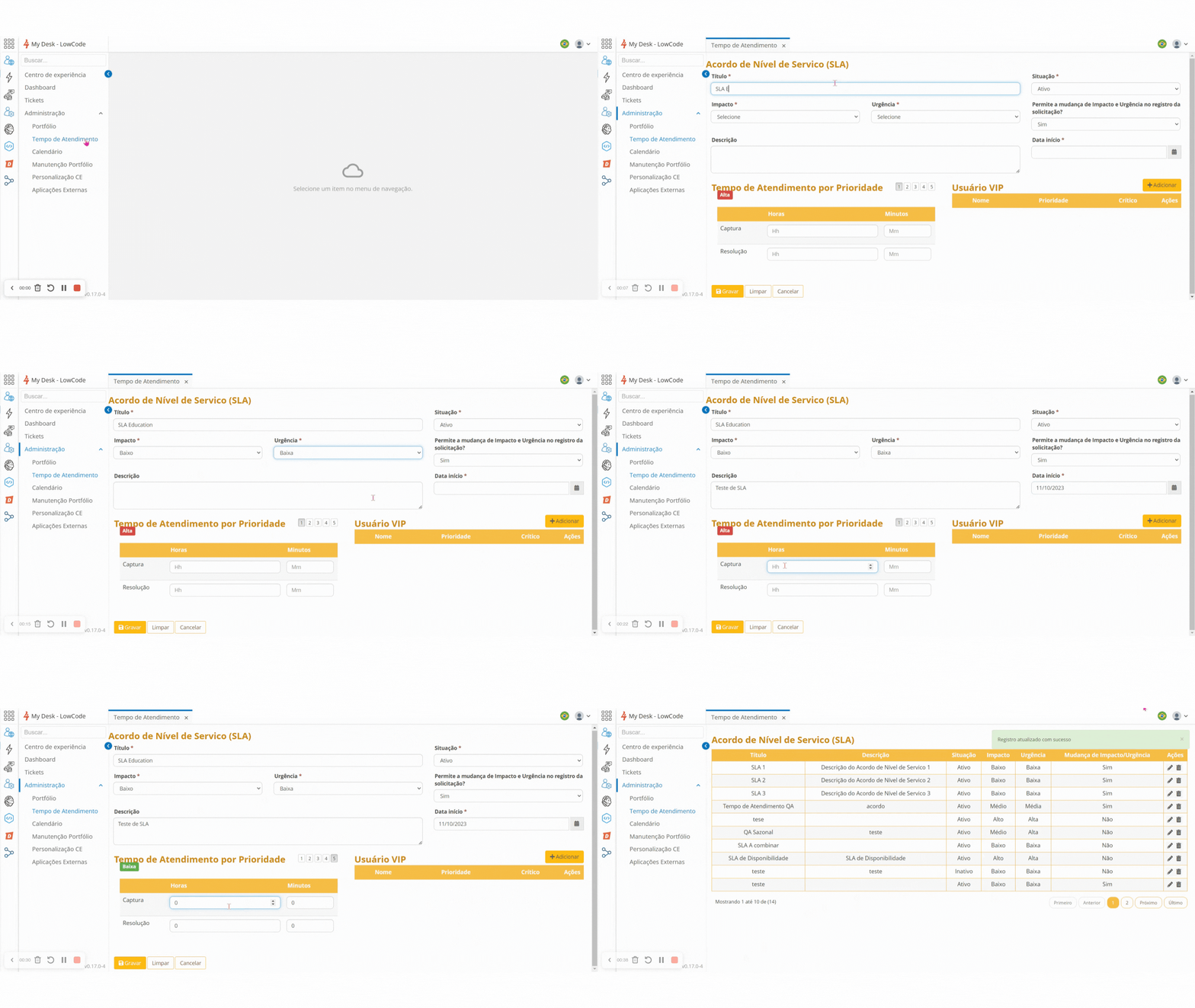
In the side menu, select Administration > Response Time, click Create, and fill in the necessary details.
In the Response Time per Priority field, by clicking on the numbers from 1 to 5, the Priority will alternate between High, Medium, and Low.
In the capture and resolution fields, enter the hours and minutes, both for ticket capture and incident or request resolution.
Click Save to record the information.