Satisfaction Survey
Administrator

The Customer Satisfaction Survey tab on the Dashboard displays consolidated results from evaluations submitted by requesters after ticket closure. Use the available filters to segment the data and track customer satisfaction by portfolio, service, activity, assignee, and time period.
1 - How to access
To access the Customer Satisfaction Survey Panel, follow the steps below:
Access My Desk
Select the My Desk application from the applications menu.
Click on Panel
In the application's top menu, click on Dashboard.
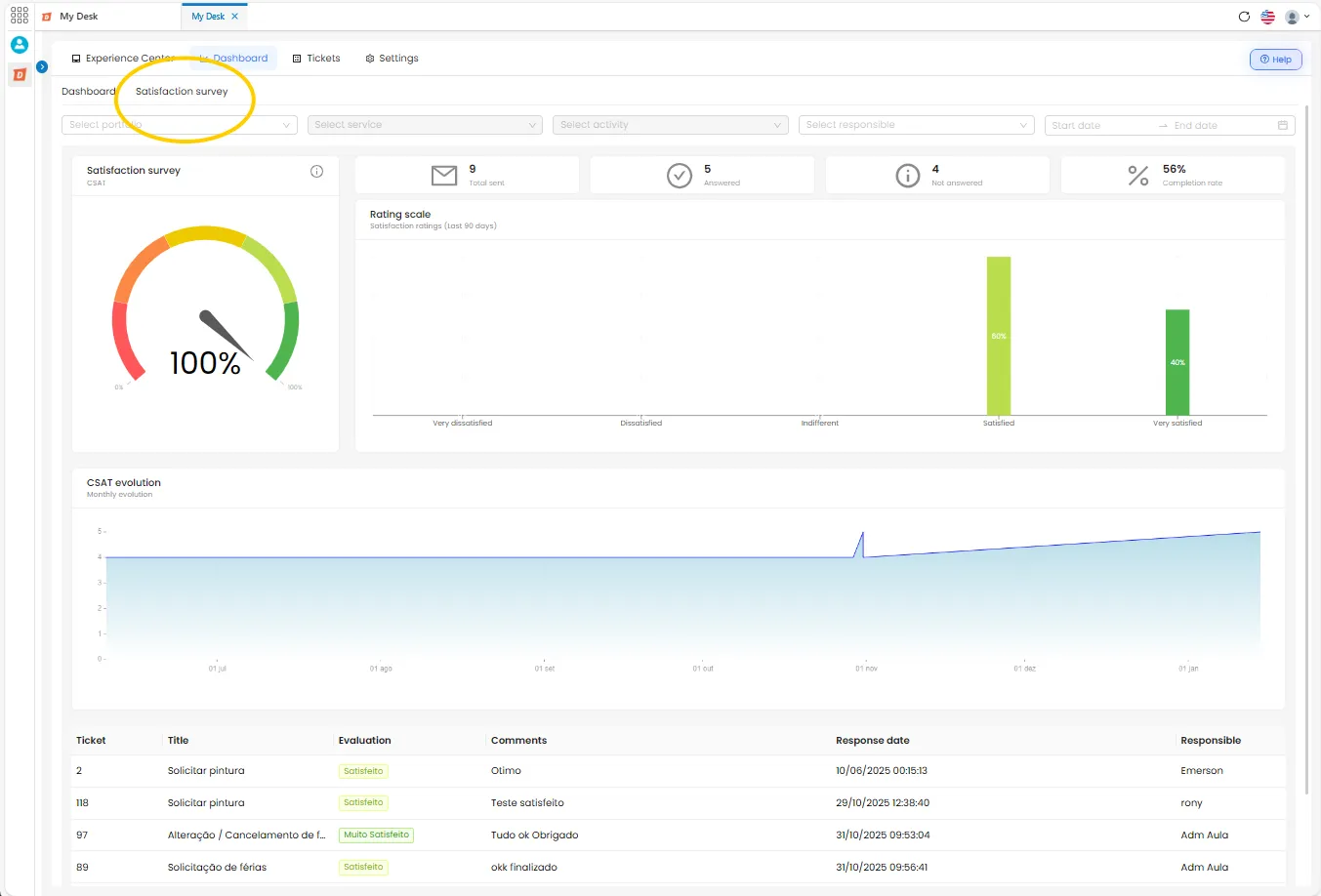
Click on Satisfaction Survey
In the secondary menu of the Dashboard, click on Satisfaction Survey. The consolidated results will be displayed.
2 - Filters
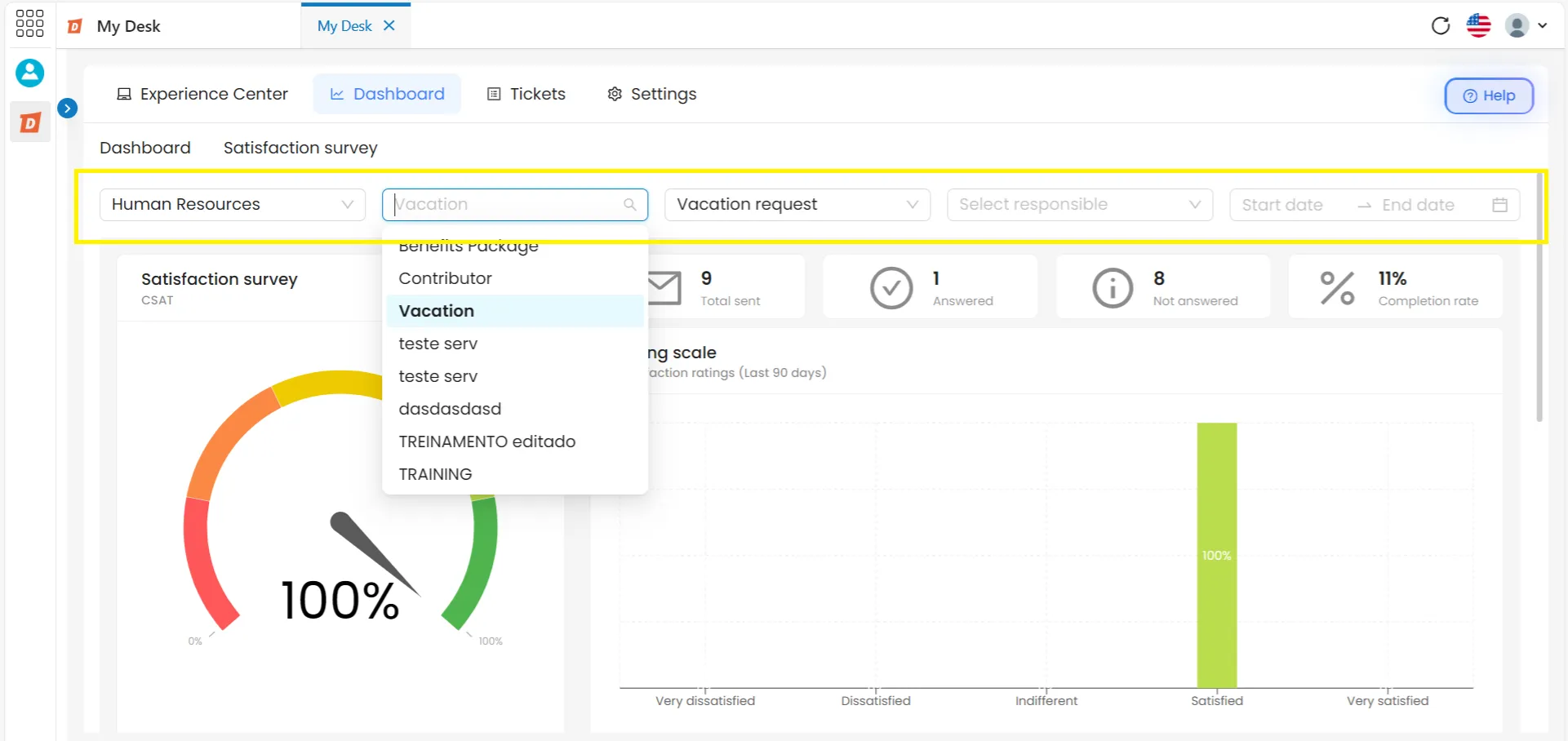
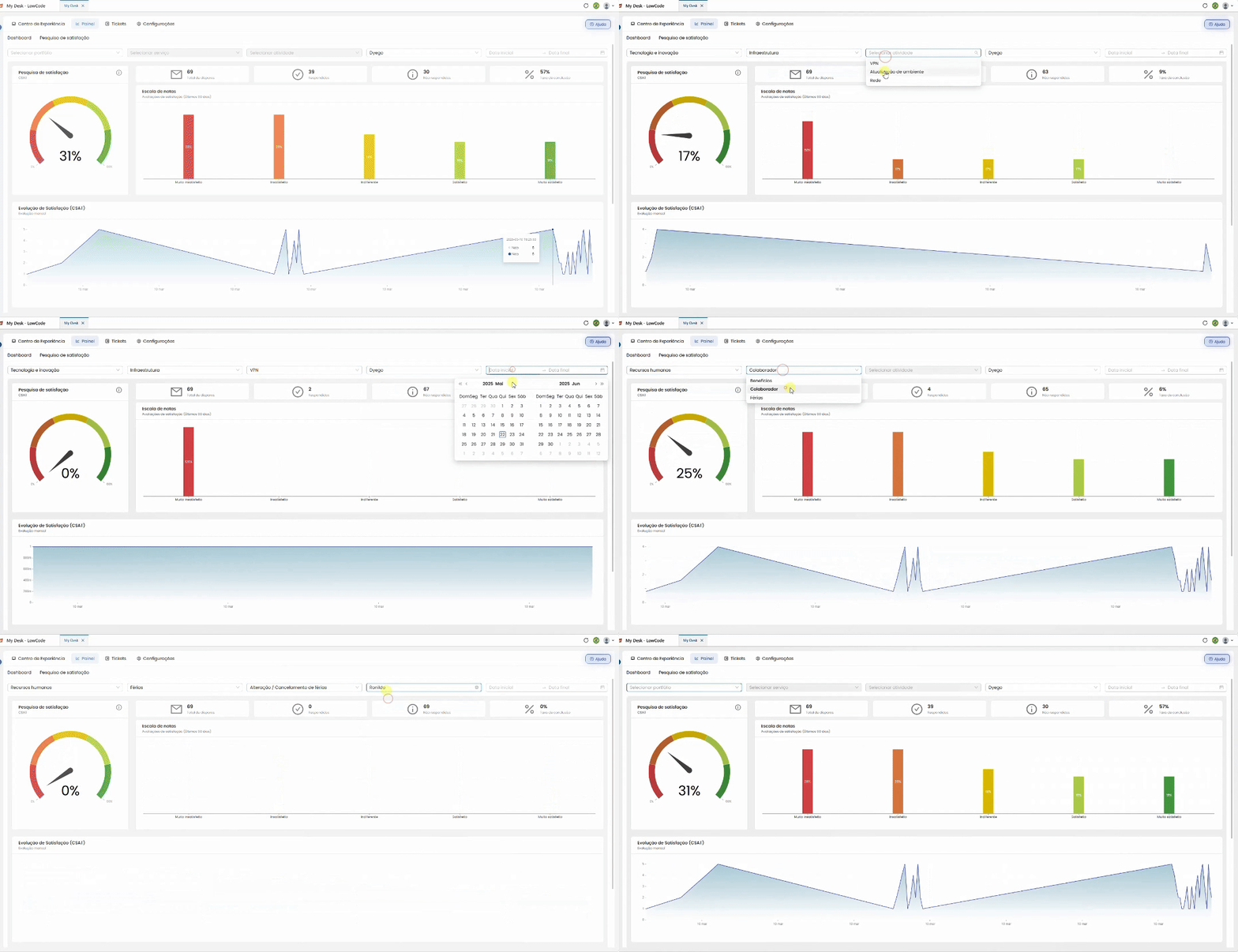
The Satisfaction Survey has its own filters, different from those on the main Dashboard. As filters are applied, the totals, graphs, and response list are automatically updated.
Select portfolio
Filter the results by one or more portfolios.
Select service
Filter the results by one or more services within the selected portfolio.
Select activity
Filter the results by one or more activities within the selected service.
Select responsible party
Filter the results by the agent responsible for the evaluated ticket.
Start date
Defines the start date range for the displayed results.
End date
Defines the end date range for the displayed results.
💡 Tip:
Filters can be combined. For example: select a specific portfolio, filter by a responsible party, and define a date range to see that employee's results within that period.
3 - Totals
Just below the filters, four cards display the total numbers according to the applied filters:
📤 Total shots
Total number of satisfaction surveys sent by email during the period.
✅ Answered
Number of surveys that were answered by the applicant.
📭 Unanswered
Number of surveys sent that received no response.
📊 Completion rate
Percentage of surveys answered in relation to the total number of responses sent.
4 - CSAT Graphic
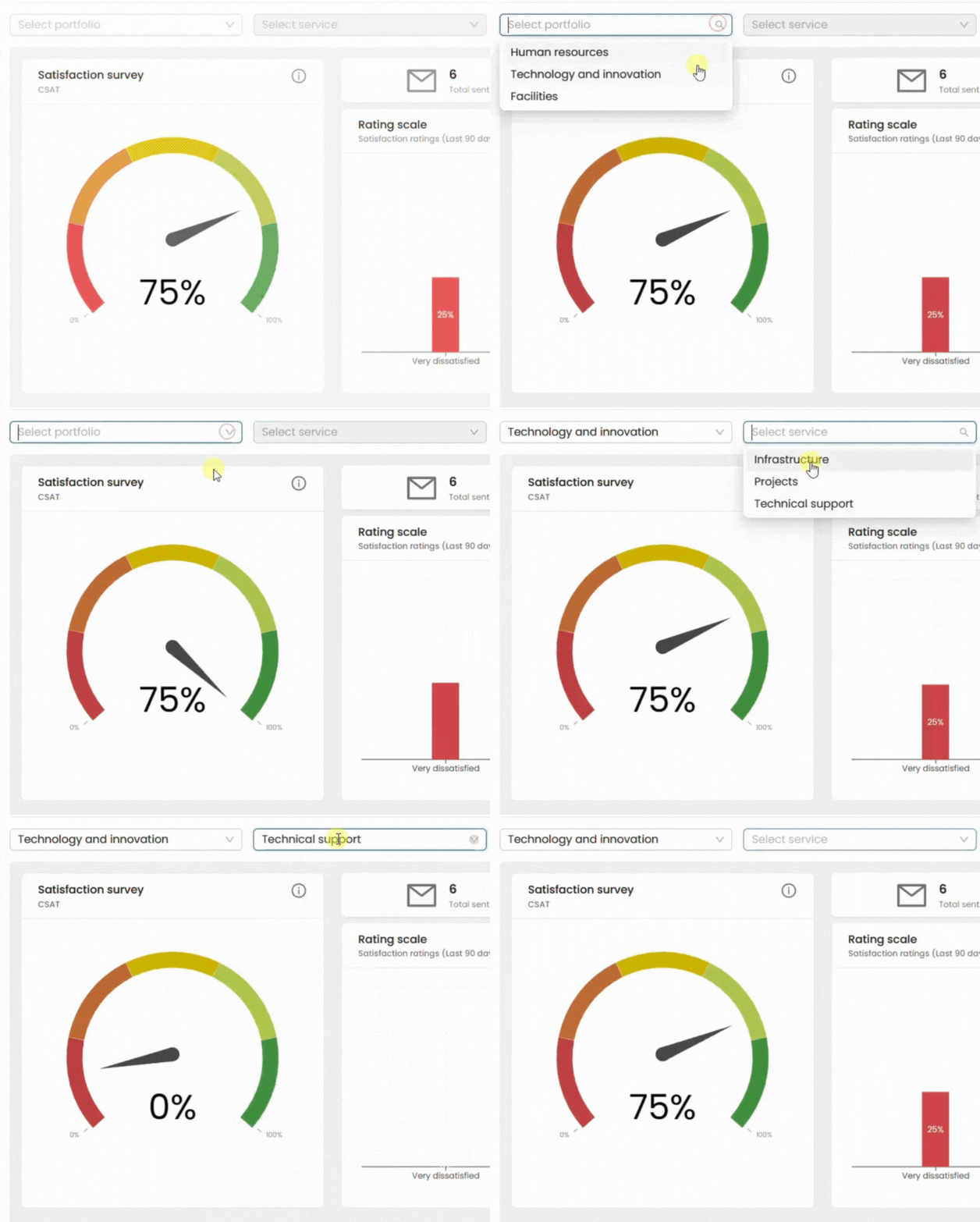
CSAT (Customer Satisfaction Score) is a metric that measures customer satisfaction based on responses sent after each ticket is closed.
After the ticket is closed, the requester receives a survey via email and rates the service on a scale of five options:
😞 Very dissatisfied
🙁 Dissatisfied
😐 Indifferent
🙂 Satisfied
😄 Very satisfied
The CSAT result indicates the proportion of satisfied customers—those who responded Satisfied or Very satisfied—relative to the total number of responses received.
📌 Example:
If 80 out of 100 customers who responded rated it as Satisfied or Very Satisfied, the CSAT is 80%.
5- Grade scale
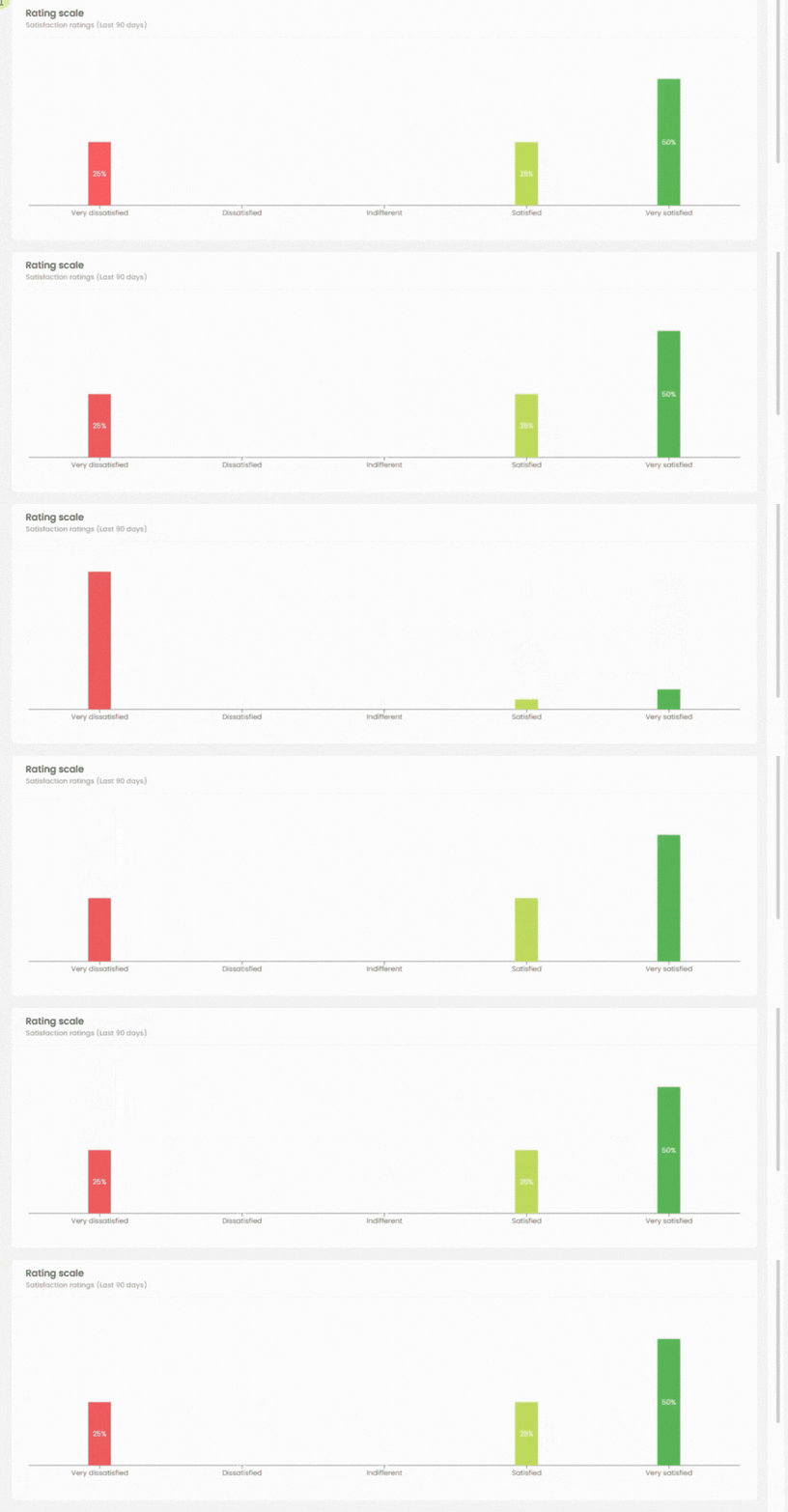
Below the CSAT chart, a column chart displays the percentage of responses for each of the five evaluation options. This allows you to visualize not only the final CSAT result, but also the complete distribution of scores received—how many customers were very dissatisfied, indifferent, and so on.
6 - Satisfaction Evolution
An area chart displays the evolution of CSAT scores over the days selected in the date filter. Use this chart to identify trends—periods when satisfaction increased or decreased—and correlate them with specific service events.

7 - Answer list
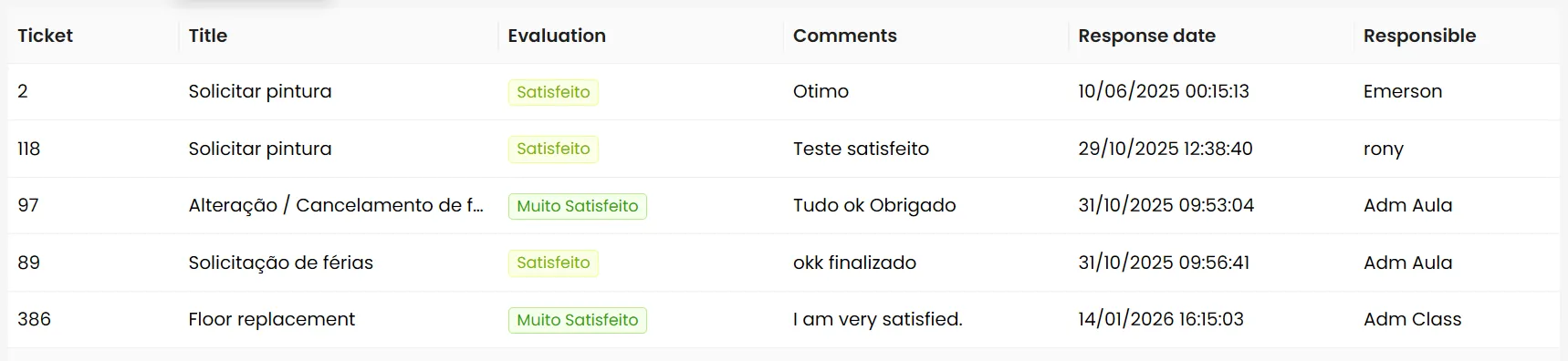
At the bottom of the page, a complete list is displayed with all responses received within the filtered period. Each line in the list represents a rating and displays the following information:
💡 Navigation between pages:
When there are many answers, the list is divided into pages. Use the numbers in the bottom right corner of the screen to navigate between them.