Dashboard
Administrator

1 - Dashboard
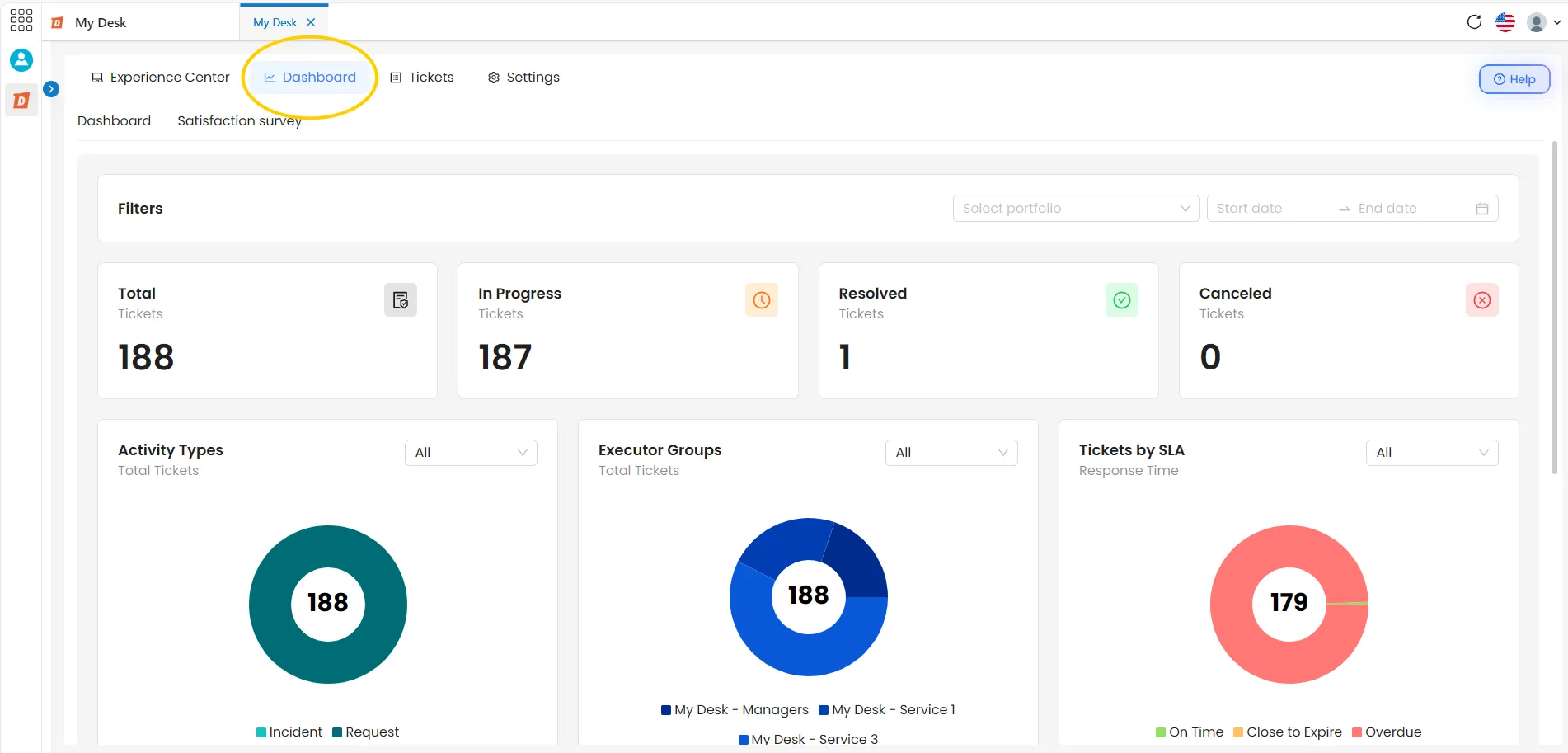
The Dashboard screen displays metrics and graphs related to the services and activities requested over a given period. Use the available filters to segment the data by portfolio, contract, and date, and track your service performance in real time.
2 - Accessing
To access the Dashboards screen, follow the steps below:
Access My Desk
Select the My Desk application from the applications menu.
Click on Panel
In the application's top menu, click on Dashboard. The dashboard will be displayed with the data for the default period.
3 - Dashboard View
4 - Filter
At the top of the panel there are three filters. When any filter is applied, all cards, charts, and metrics on the screen are automatically updated in real time.

4.1 - Select Portfolio
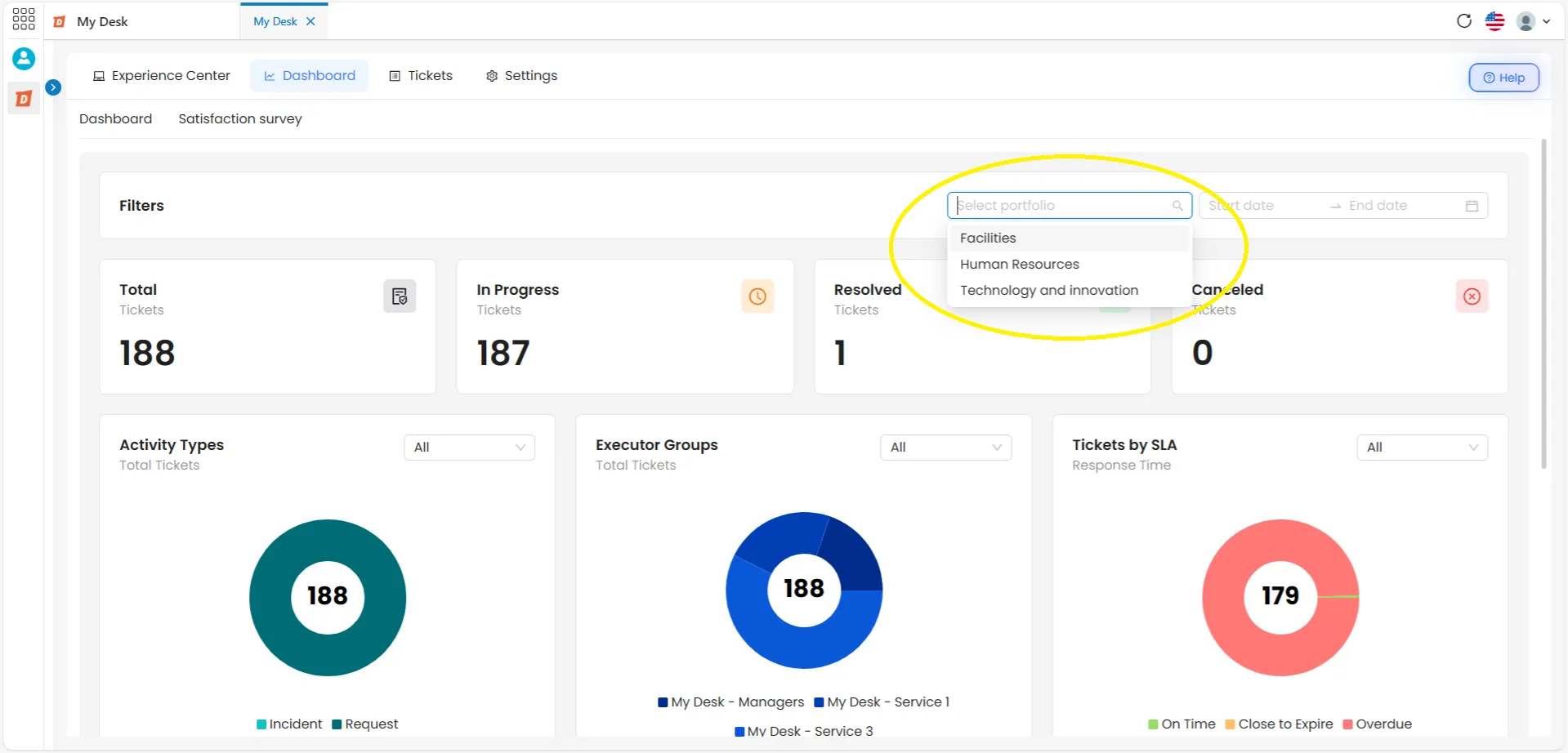
Filter the data by one or more portfolios.
Click the arrow to the right of the selection box, choose the desired portfolio, and the charts will update immediately. You can select more than one portfolio at the same time.
The charts will then adjust to the chosen filter.
4.2 - Select Contract
Filter the data by one or more contracts registered in the system.
Click the arrow to the right of the selection box, choose the desired contract, and all cards, graphs, and metrics will be updated.
Use this filter to track the performance of segmented customer service by contract—useful when your company has clients with distinct contracts.
4.3 - Select Date
Defines the time period for which the data is displayed.
A date range must be specified for the system to display the metrics.
To filter by date, follow the steps below:
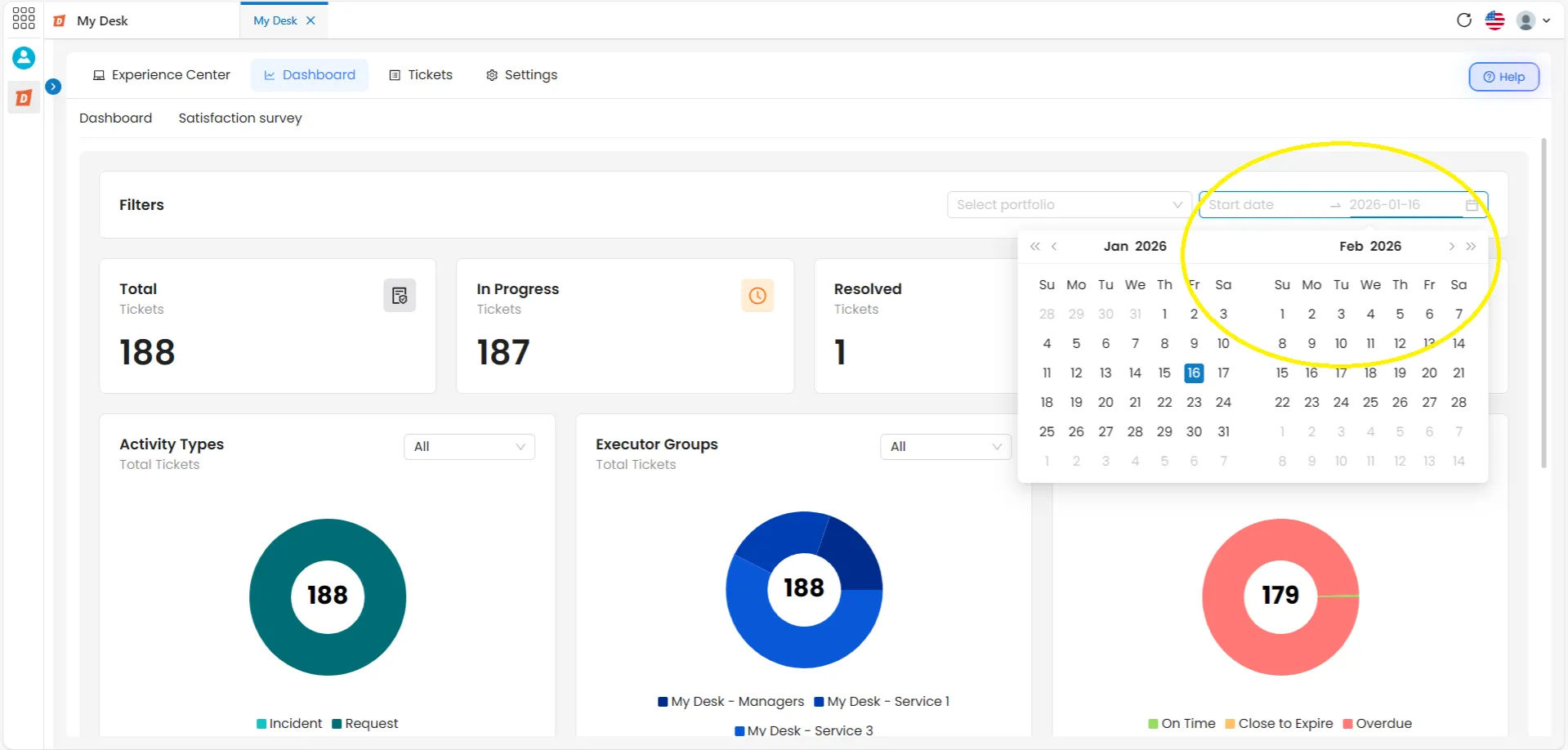
- Click the date checkbox. In the right corner of the screen. A calendar will be displayed just below.
- Select the start and end dates. The dashboard will be automatically updated with data from the selected period.
- To clear or change Click the calendar icon again. The selected date will be automatically removed.
📋 Tip — combining filters
You can use all three filters at the same time. For example: select a portfolio, then filter by a specific contract and set a date range. The dashboard will only show data that meets all the selected criteria.
5 - Totals Cards
Below the filters, the cards display numbers according to the total number of tickets with a specific status within the selected period:

Total number of tickets
Total number of tickets registered during the period.
In progress
Tickets that are still being processed.
Resolved
Tickets successfully completed during this period.
Cancelled
Tickets that were cancelled during that period.
📌 The cards respond to the filters:
When selecting a portfolio, contract, or period, the card numbers are automatically updated to reflect only the data from the applied filter.
5.1 - Graphics
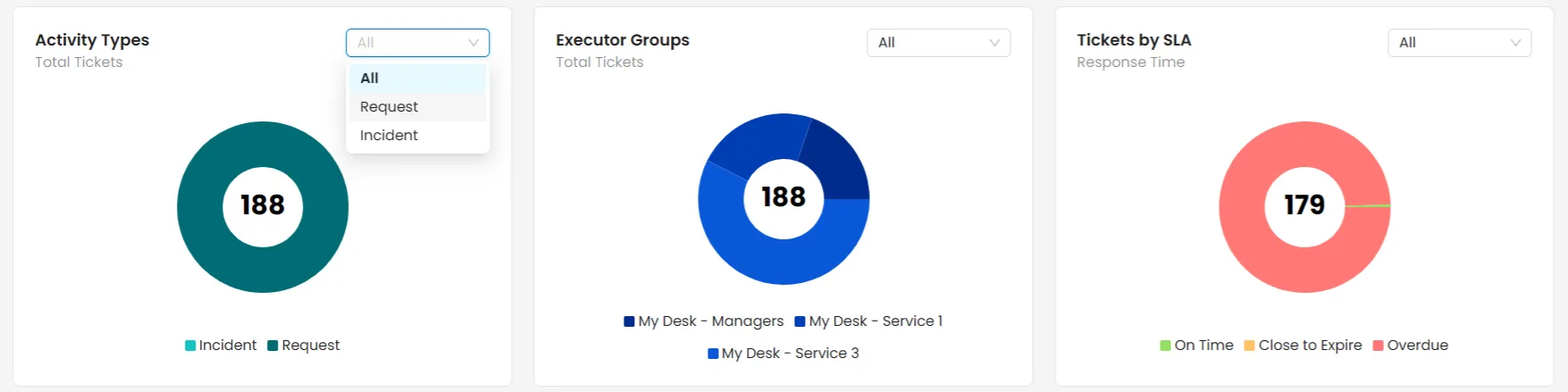
Below the cards, three pie charts display the distribution of tickets across different dimensions. Each chart has its own filter menu in the upper right corner—selecting an option updates the chart in real time.
Hovering the mouse cursor over any slice of the chart displays a legend showing the item's name and the corresponding number of tickets.
The displayed charts and their filters are:
Types of activity
Displays the distribution of tickets by activity type.
Available filters in the graph:
All Request Incident
Executors groups
Displays the distribution of tickets by the groups responsible for customer service.
Available filters in the graph:
All In progress Resolved Cancelled
Tickets by SLA
Displays the distribution of tickets by the applied service level agreement (SLA).
Available filters in the graph:
All In progress Resolved Cancelled
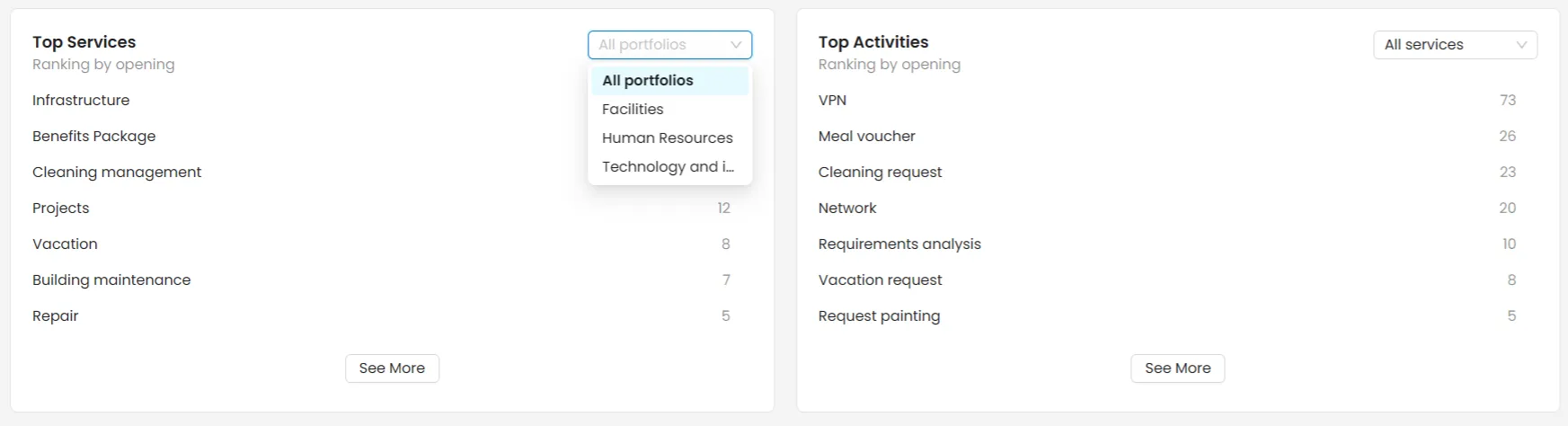
5.2 - Ticket Metrics
Below the charts, the dashboard displays a detailed list of metrics broken down by services and activities. Each service can be expanded to show the activities that are part of it, along with their respective performance data.
🔧 Metrics section filters
The menu in the upper right corner of this section allows you to filter independently of the general panel filters:
Filter services by portfolio Filter activities by service
💡 See more items:
The "See more" button increases the number of services and activities displayed in the list. Click it to expand the view and see all available items.