Approvals
Administrator Attendant Applicant (everyone, provided they have approval access)

The Approvals tab displays a list of tickets that are pending approval. If you have approver access, pending approval tickets will appear in this list. Otherwise, this page will be displayed blank.
There are two forms of approval in My Desk: pre-approval and post-approval. See the difference between them below.
📋 Relationship with contracts
When an activity is linked to a contract with the workflow configured as "With approval" or "With pre-approval," the tickets for that activity go through this same Approvals screen. The group defined as the Approval Group in the link configuration will have access to approve or reject these tickets.
1 - Pre-approval
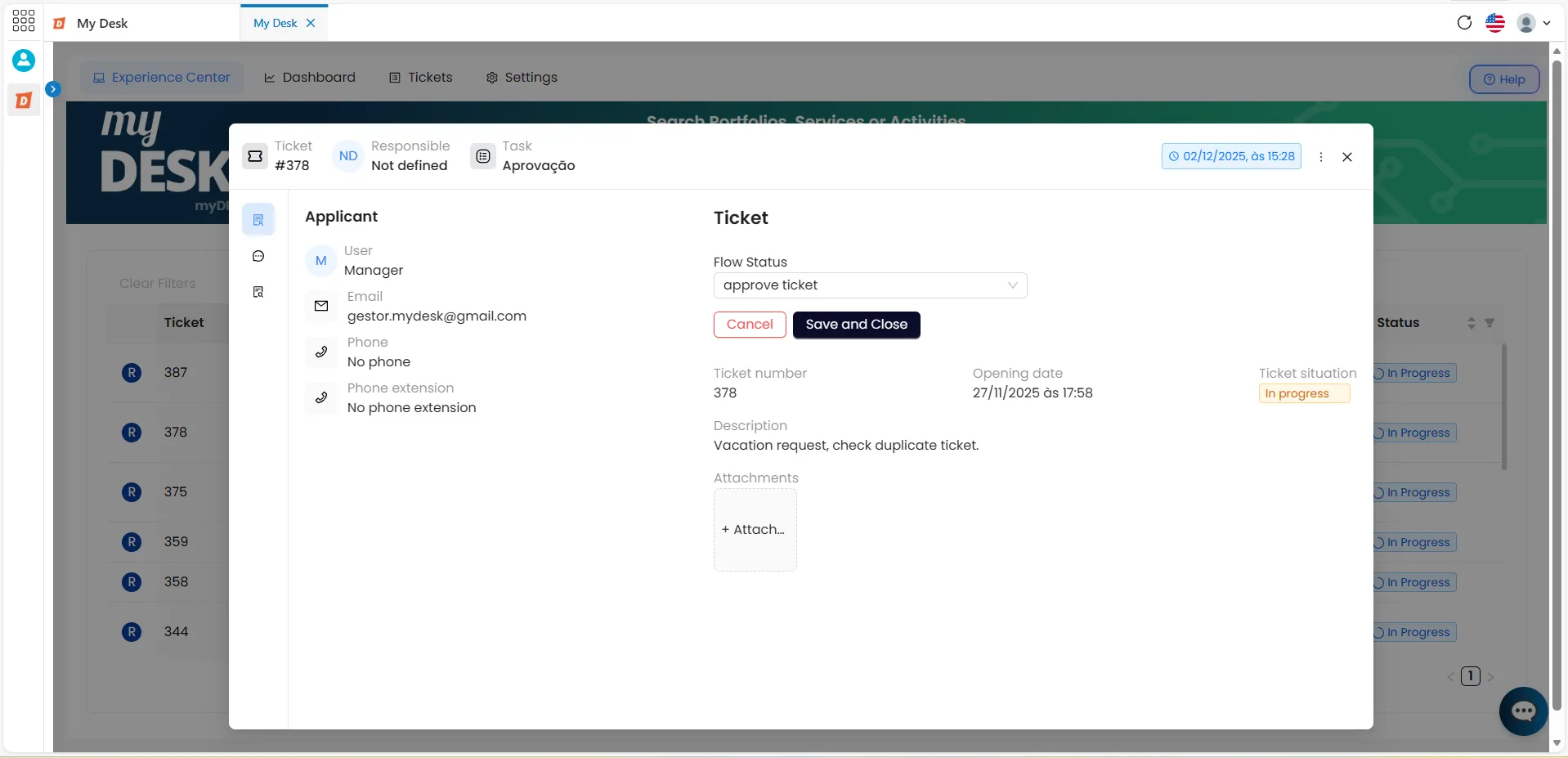
For a ticket to proceed to the support queue and receive the necessary processing, it must first be approved. Follow the steps below:
Click on the desired ticket.
A window will open in the center of the screen with the ticket information.
Click on Flow Status
Choose one of the available statuses: Approve ticket or Reject ticket.
✅ Approve ticket
Click Save and close, and the ticket will be added to the service queue.
❌ Reject ticket
Describe a reason for this status. You must provide a justification for the ticket rejection.
2 - Approval after negotiation
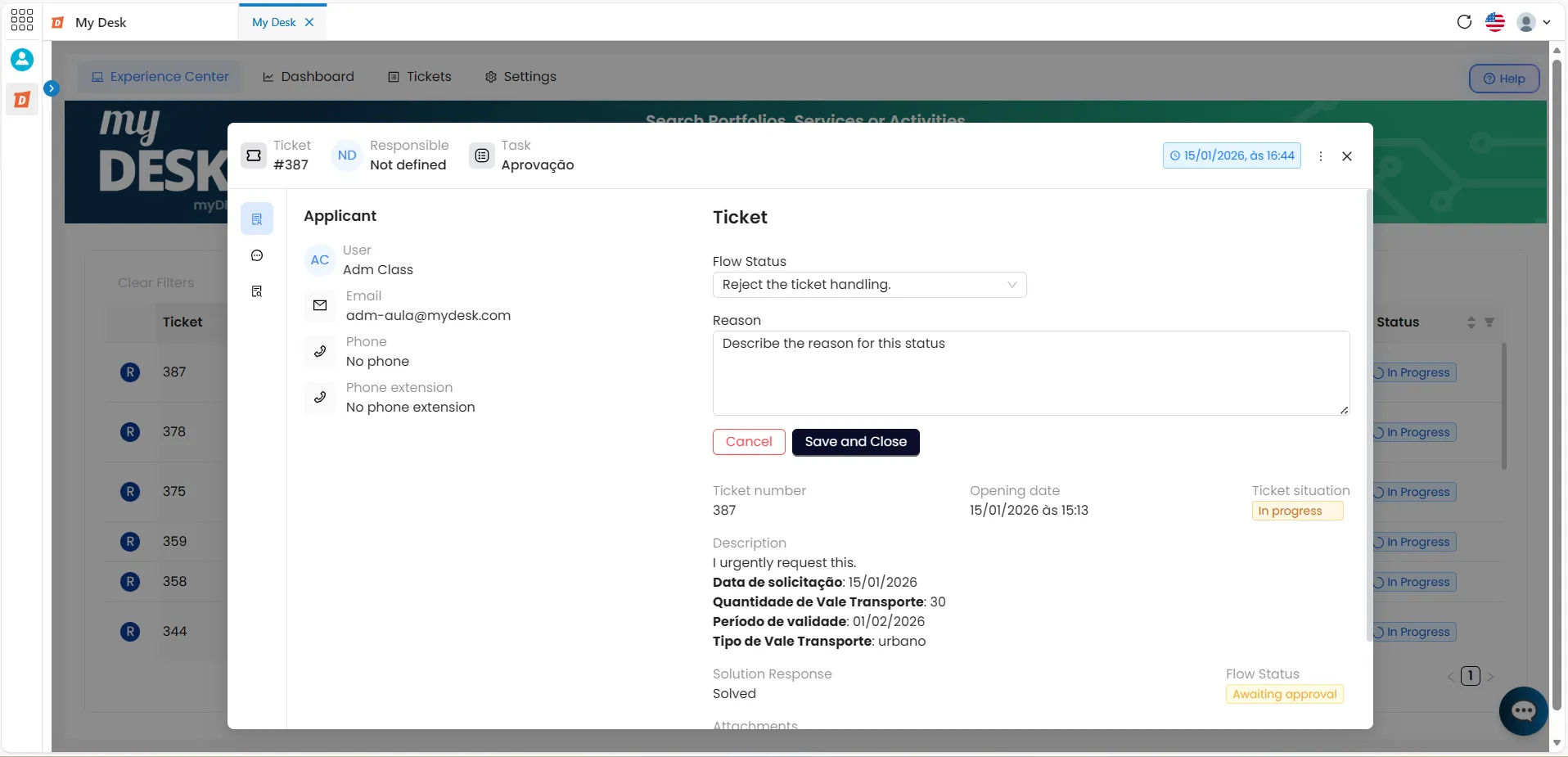
After the agent completes the ticket processing, it needs to be approved. To do this, the ticket is automatically moved to the pending approval queue in the Approvals tab. Follow the steps below:
Click on the desired ticket
A window will open in the center of the screen with the ticket information
Click on Flow Status
Choose one of the available statuses: Approve the request or Reject the request
✅ Approve ticket
- Click Save and close, and the ticket will be finalized.
❌ Reject ticket
Describe a reason for this status.
- A justification for the rejection of the request is required.
- Click Save and close, and the ticket will be finalized.
What happens after failing?
After being rejected, the ticket returns to the service queue with the status "Request rejected," so that a new request can be made. After being processed again, the ticket returns to the approval queue..
🔄Flow after rejection
Negotiation rejected → New service → Approval queue